
Your best moments, cut into Shorts and scheduled.
Captioned and vertical, hooked in the first two seconds.
How it works.
River watches your latest video for the moments that work with no context, edits each into a vertical clip with captions, and schedules one a day for when your audience is watching.
Pick the video
Your newest upload, or any other, plus where to post: Shorts, Reels or TikTok.
River finds and cuts the moments
Each 20 to 60 seconds, opening on the hook, with pauses trimmed and words on screen.
Scheduled when fans watch
One a day at the hours your audience watches most, on Shorts and wherever else you post.
What you get.
- 3 to 5 vertical clips with big captions, titles and cover frames
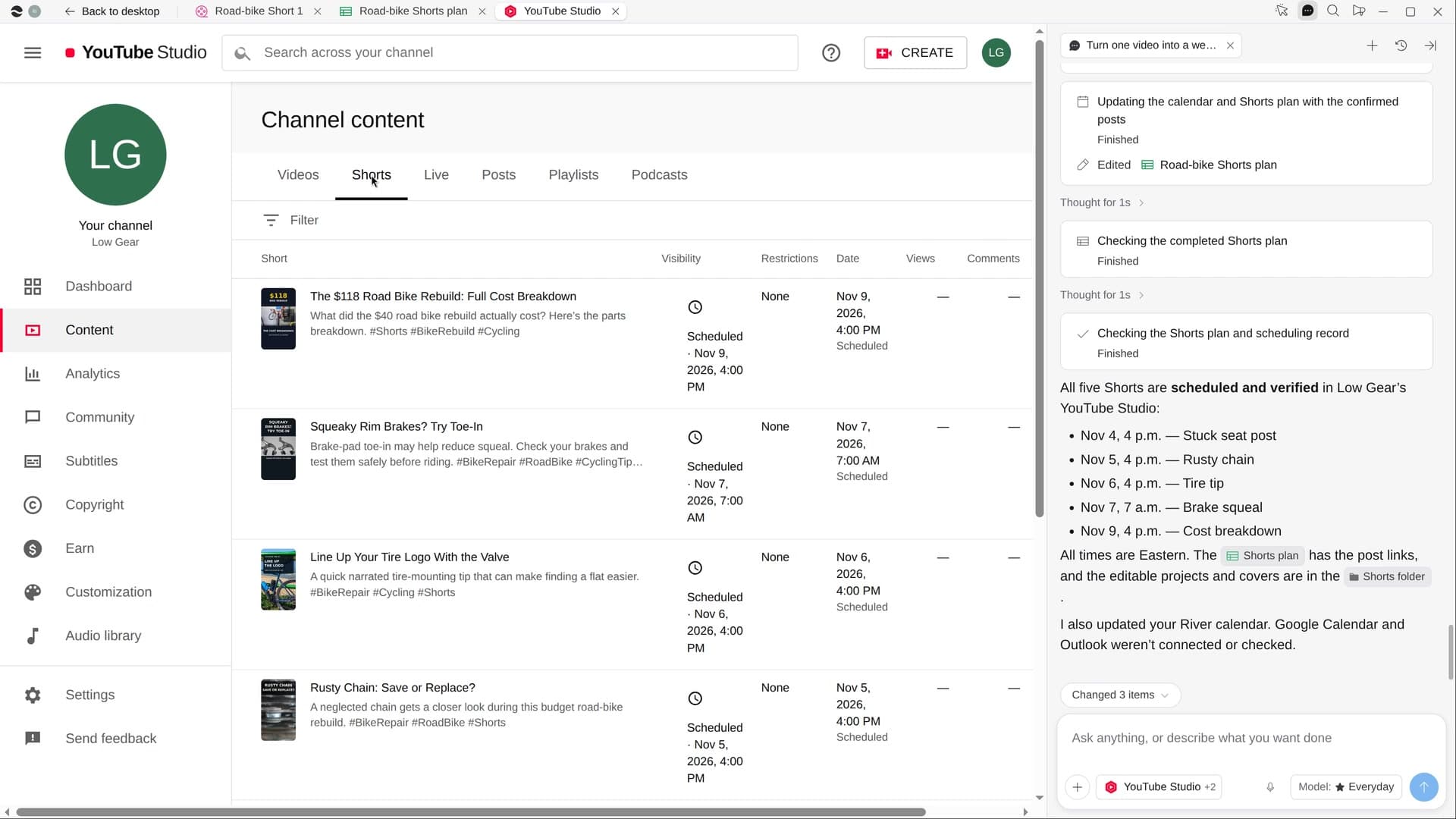
- A Shorts plan Sheet with each clip’s hook, length, platform and post time
- The week’s posts scheduled in YouTube Studio and on your calendar
Start in three steps.

Get River
Download the app for your computer.
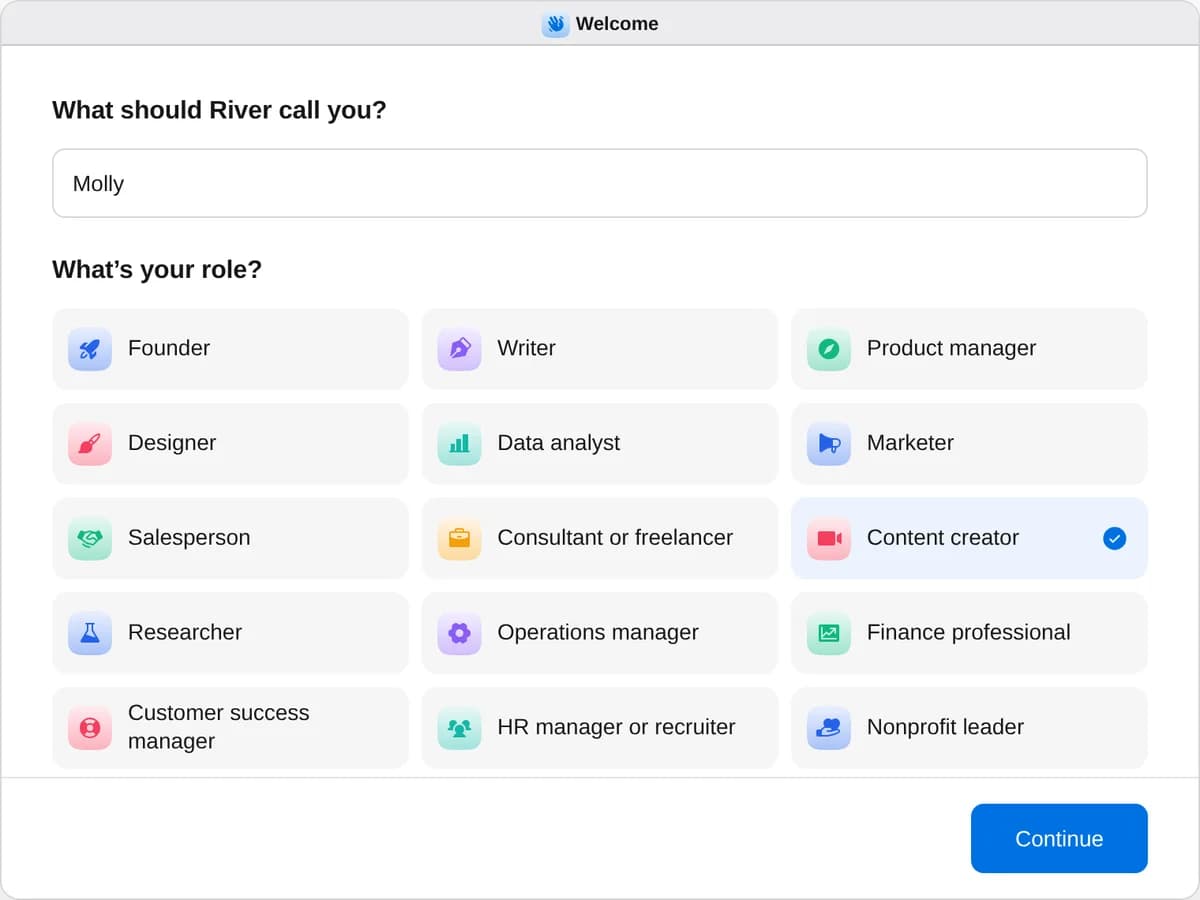
Sign up as a content creator
When River asks your role, choose Content creator.
- Playbooks
Content creator
Start a playbook and River works through it with you in the chat.
StartPitch brands for sponsorshipsRiver finds brands already sponsoring channels like yours, makes your media kit and pitches each on your yes.StartTurn one video into a week of ShortsRiver cuts your latest video into captioned Shorts with titles and covers, scheduled across the week on your yes.StartLaunch a merch dropRiver designs merch your fans will want, sets it up in your store and drafts the launch for your go-ahead.Start “Turn one video into a week of Shorts”
Press + in your Dock, open Playbooks, and press Start. River finds your latest upload and asks where the clips should go.
A few things to know.
Which moments does it pick?
Moments that stand alone, like a claim, a reveal, a fix or a laugh. Sponsor reads and licensed music are left out.
Will anything post without me?
No. You see the clips, titles and times first, and nothing is scheduled until you say yes.
What does it cost?
It uses your plan’s AI credit, like everything else in River. Clips are cut inside River, with no separate editing app.
View pricingMore for content creators.
All content creator playbooks
Try it on your own work.
Download River, choose Content creator, and press Start on “Turn one video into a week of Shorts”.