
Their quarter, told in their own numbers.
Results before and after, wins in their words.
How it works.
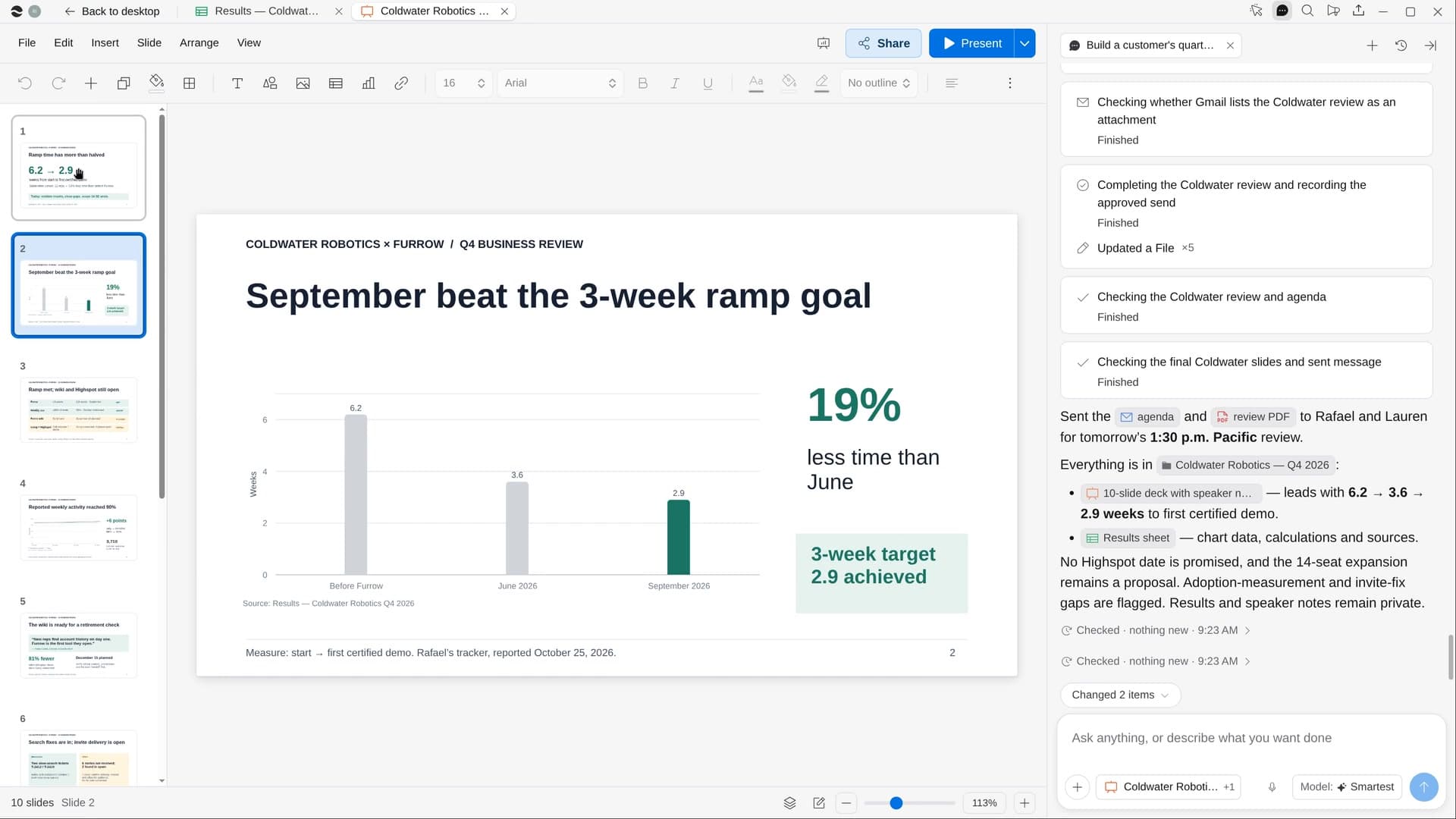
River starts from last quarter’s goals, measures them in the customer’s own numbers, and builds a deck of about ten slides that’s honest about what’s still open.
Confirm the customer
The next review on your calendar, plus a sore point to handle or an expansion to raise.
River gathers the quarter
Usage, support tickets, calls and the contract, measured against the goals in last quarter’s deck.
A deck and an agenda
Charts built from a Sheet, notes on every slide, and the agenda email drafted to the customer.
What you get.
- A review deck with speaker notes, in your company’s template
- A Results Sheet behind every chart, before and after, with how it was measured
- The agenda email to the customer, sent on your go-ahead
Start in three steps.

Get River
Download the app for your computer.
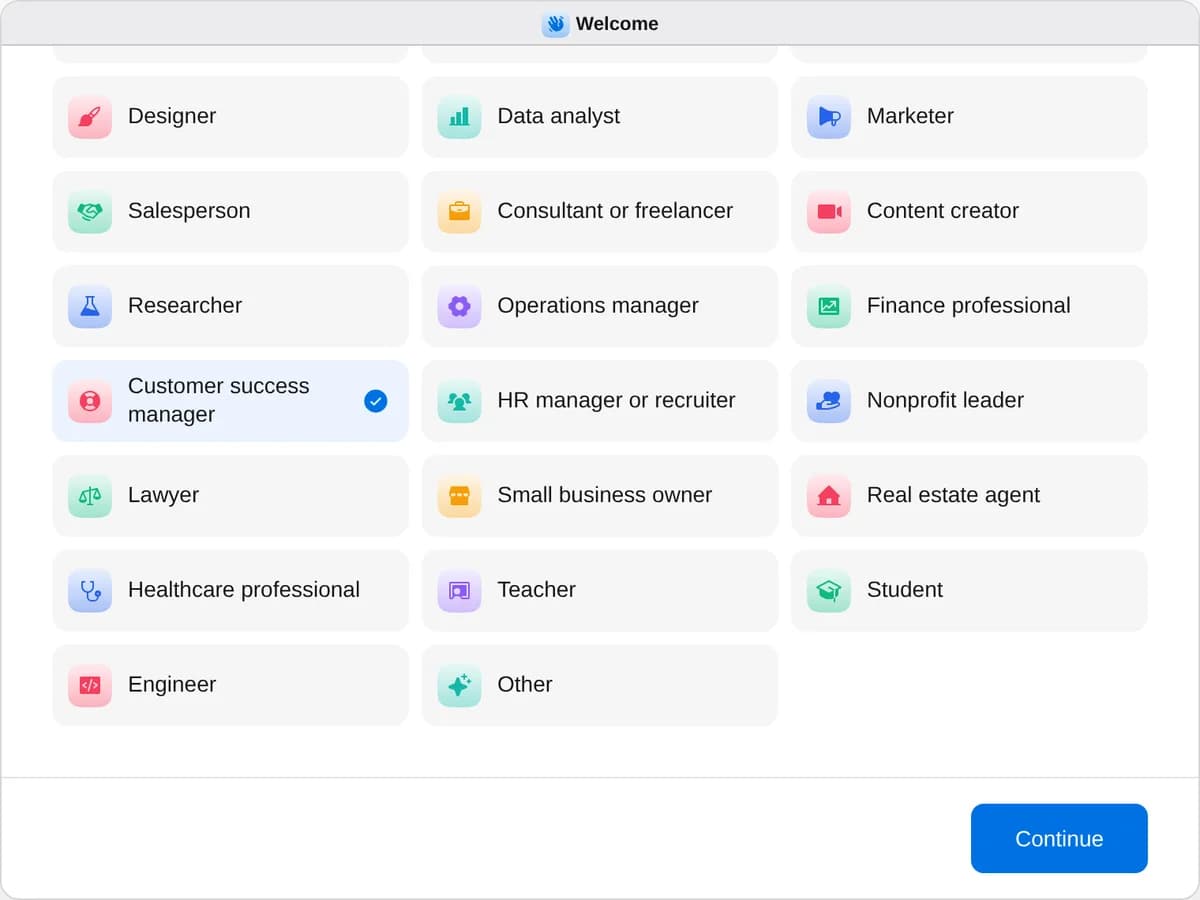
Sign up as a customer success manager
When River asks your role, choose Customer success manager.
- Playbooks
Customer success manager
Start a playbook and River works through it with you in the chat.
StartFind customers at risk of leavingRiver checks every customer’s usage, tickets, calls and contacts, ranks who might leave and drafts a plan to keep them.StartBuild a customer’s quarterly reviewRiver pulls a customer’s results, usage and tickets into a review deck with charts, wins and next quarter’s plan.StartSend thank-you gifts to your best clientsRiver picks a personal gift for each of your best clients, writes the notes and fills the carts for you to pay.Start “Build a customer’s quarterly review”
Press + in your Dock, open Playbooks, and press Start. River finds your next review on the calendar and asks what to stress or avoid.
A few things to know.
Will it hide the problems?
No. Open issues go in with what’s being done and by when, and roadmap items appear only when they’re actually scheduled.
Could another customer’s data slip in?
No. The deck uses only this customer’s usage, tickets, calls and contract, and anything estimated says so.
What does it cost?
It uses your plan’s AI credit, like everything else in River. It reuses last quarter’s deck from your Drive, so the new one looks like yours.
View pricingMore for customer success managers.
All customer success manager playbooks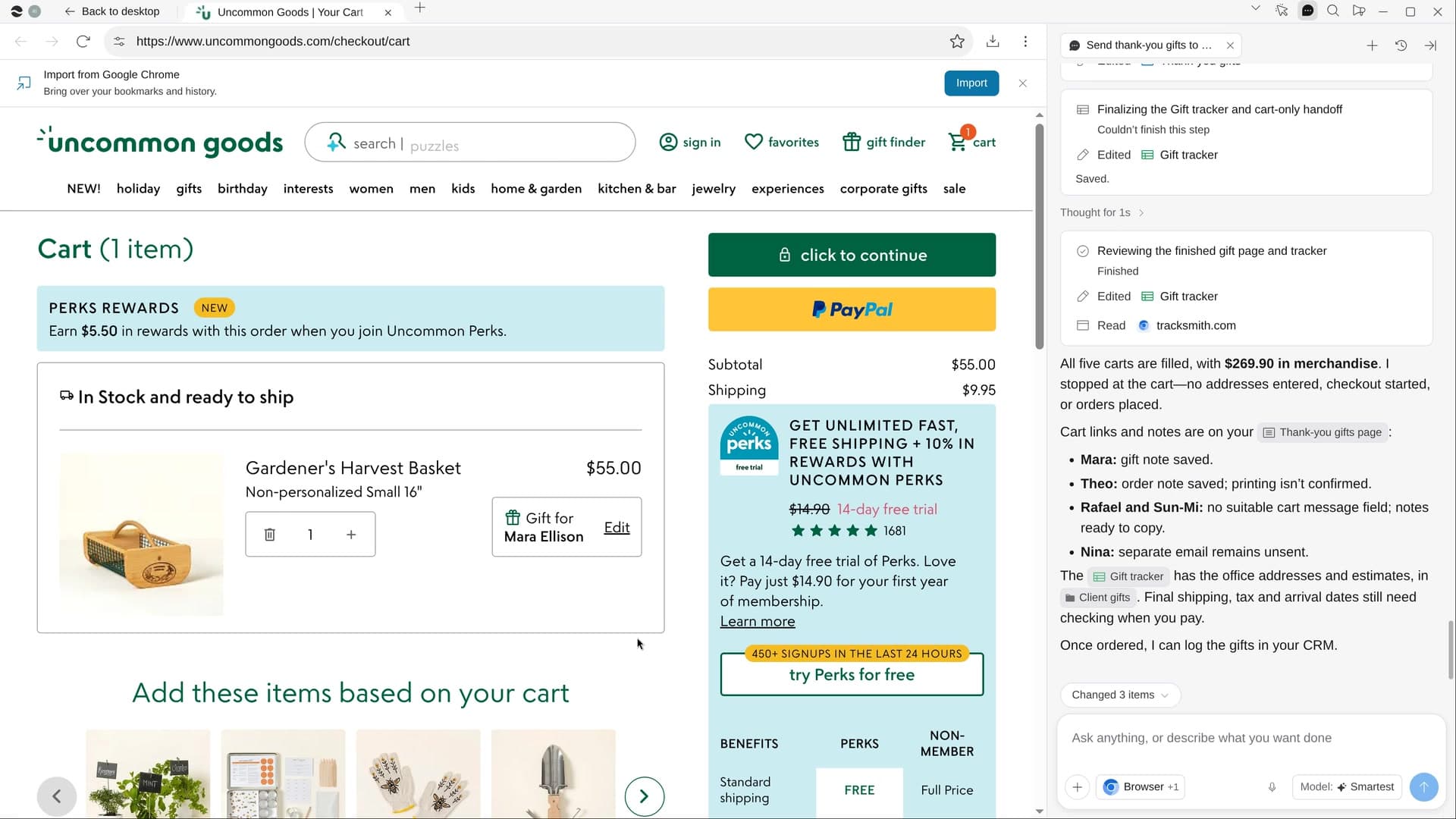 Send thank-you gifts to your best clientsRiver picks a personal gift for each of your best clients, writes the notes and fills the carts for you to pay.
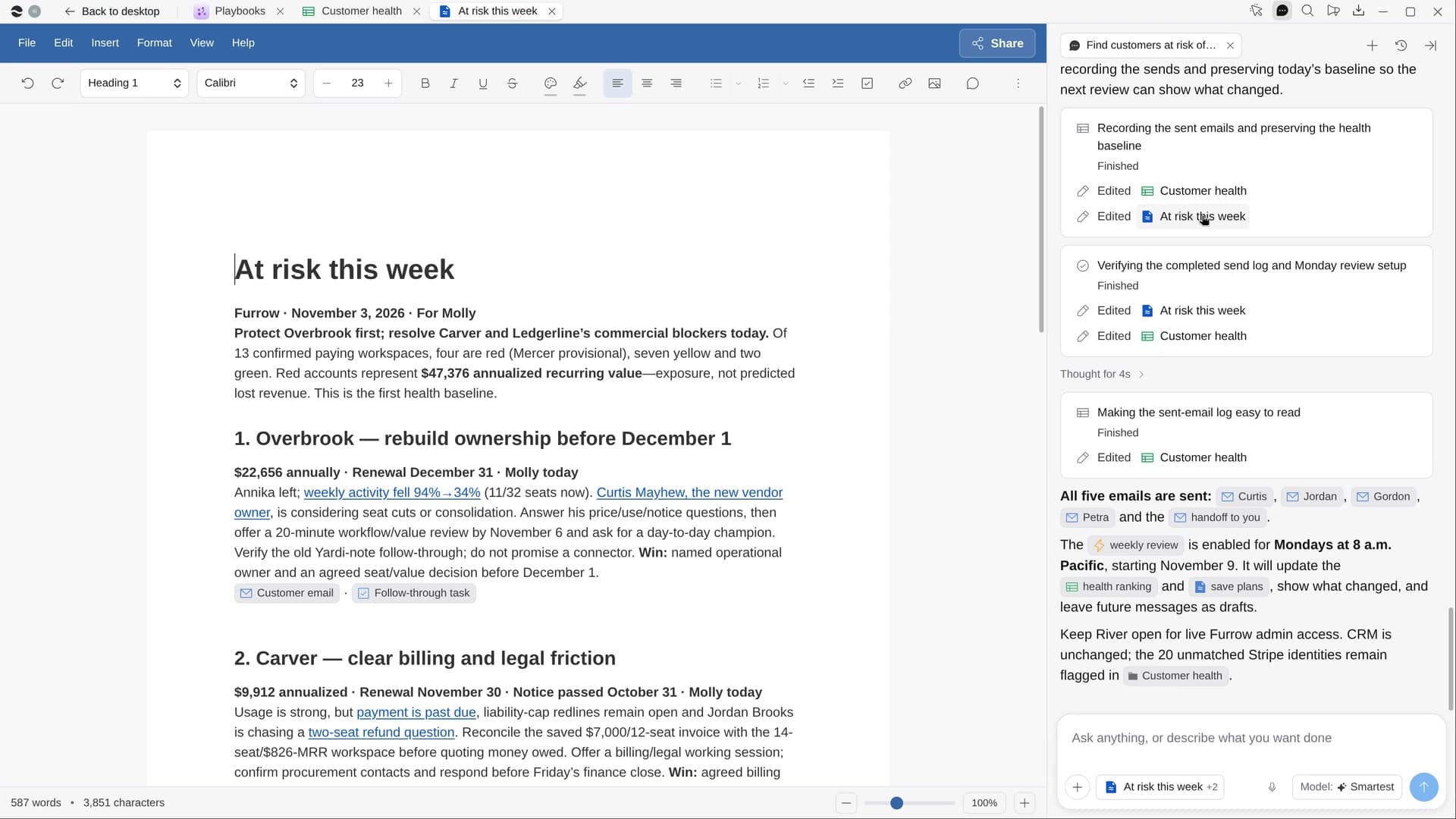 Find customers at risk of leavingRiver checks every customer’s usage, tickets, calls and contacts, ranks who might leave and drafts a plan to keep them.
Try it on your own work.
Download River, choose Customer success manager, and press Start on “Build a customer’s quarterly review”.