
Who might leave, why, and how to keep them.
Every account checked, reds first, with a plan.
How it works.
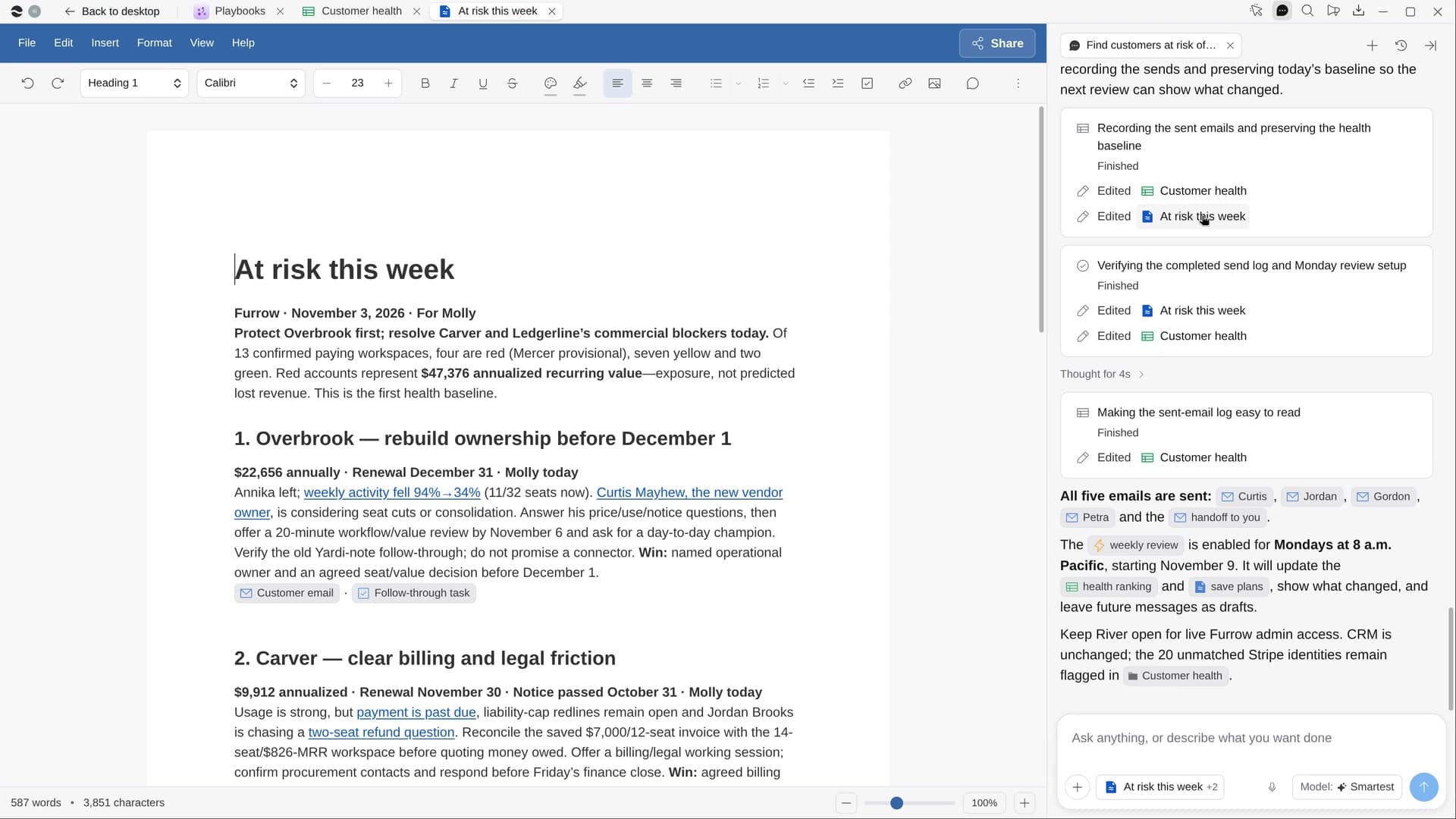
River checks every account you own across usage, support tickets, billing, calls and contacts, ranks each green, yellow or red with linked reasons, and drafts save plans for the riskiest.
Start with your book
River takes the accounts you own in the CRM, with value and renewal dates.
River checks every signal
A champion who left, usage falling for weeks, failed payments, urgent tickets left open.
Save plans for the reds
Who to reach, what to offer and the first message, written in your voice.
What you get.
- A Customer health Sheet, reds first, each reason linked to where it came from
- Three or four save plans for this week, each specific to its account
- First messages, tasks and a note to your teammates, ready to go
Start in three steps.

Get River
Download the app for your computer.
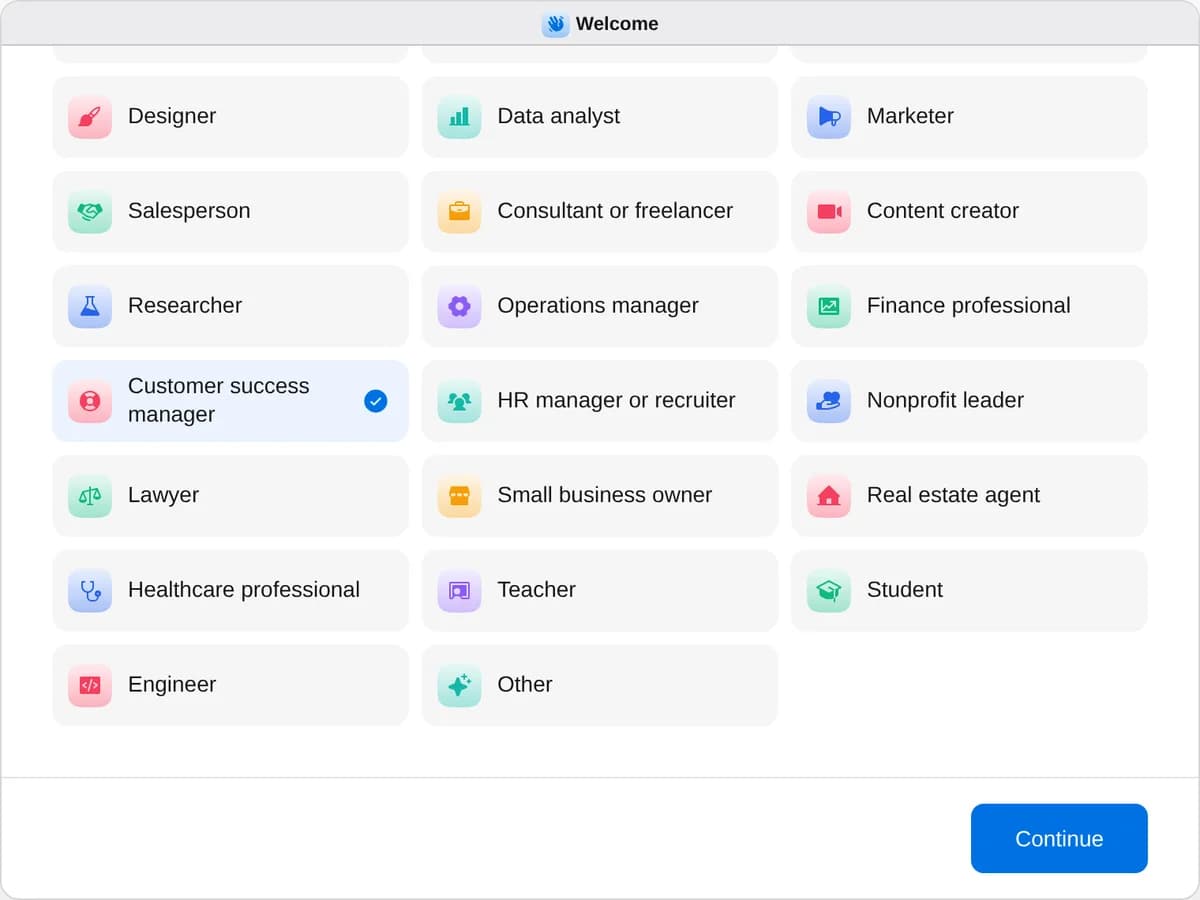
Sign up as a customer success manager
When River asks your role, choose Customer success manager.
- Playbooks
Customer success manager
Start a playbook and River works through it with you in the chat.
StartFind customers at risk of leavingRiver checks every customer’s usage, tickets, calls and contacts, ranks who might leave and drafts a plan to keep them.StartBuild a customer’s quarterly reviewRiver pulls a customer’s results, usage and tickets into a review deck with charts, wins and next quarter’s plan.StartSend thank-you gifts to your best clientsRiver picks a personal gift for each of your best clients, writes the notes and fills the carts for you to pay.Start “Find customers at risk of leaving”
Press + in your Dock, open Playbooks, and press Start. River gathers your accounts and starts checking each one’s usage, tickets and billing.
A few things to know.
When does an account turn red?
One warning sign alone makes it yellow. Signs that pile up, like falling usage and a renewal within 90 days with no recent contact, push it to red.
Will it email my customers?
Not without your go-ahead. The messages, tasks and CRM changes wait on one card until you say yes.
What does it cost?
It uses your plan’s AI credit, like everything else in River. It reads usage from your own product’s admin or the analytics you already use.
View pricingMore for customer success managers.
All customer success manager playbooks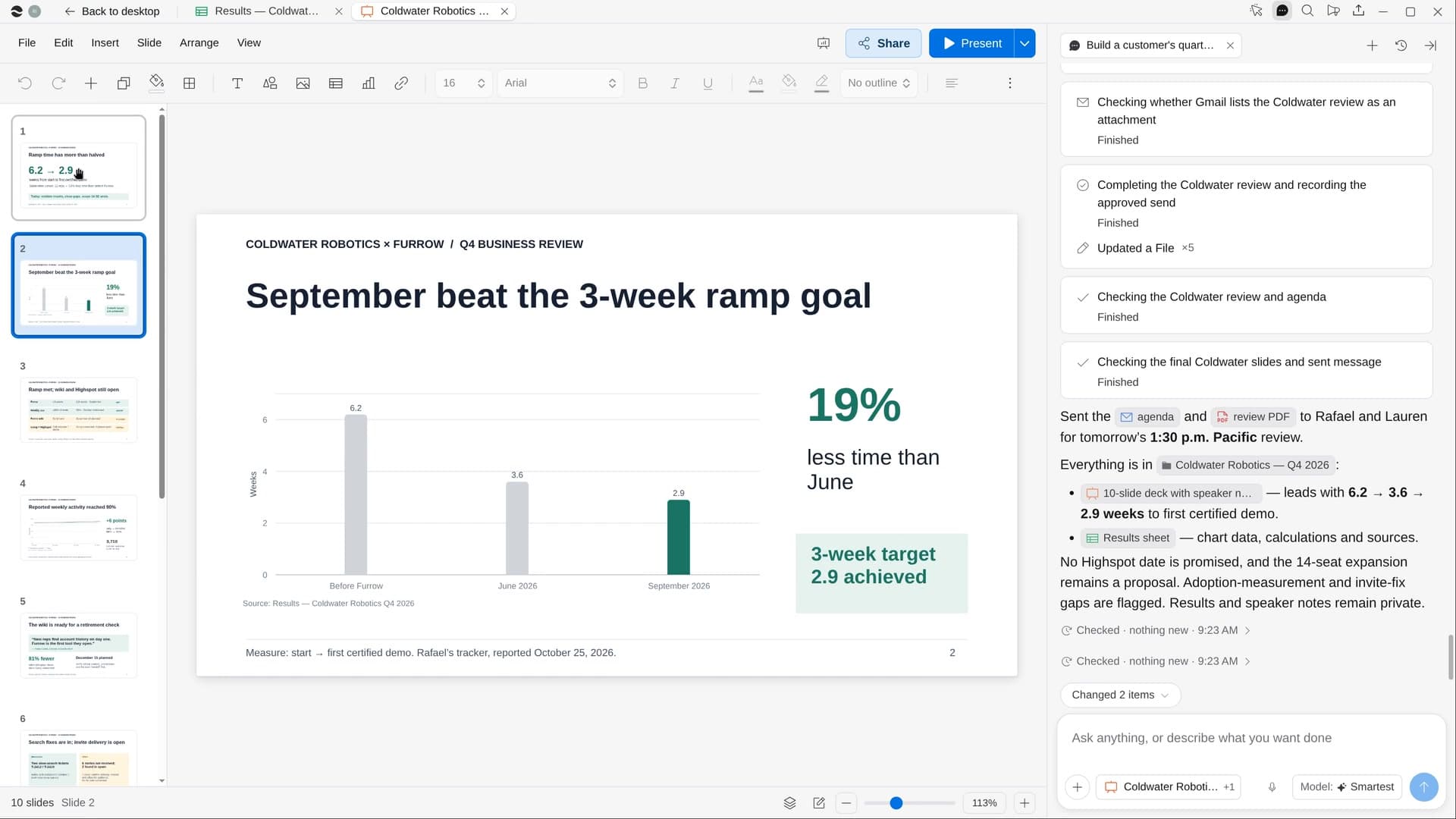 Build a customer’s quarterly reviewRiver pulls a customer’s results, usage and tickets into a review deck with charts, wins and next quarter’s plan.
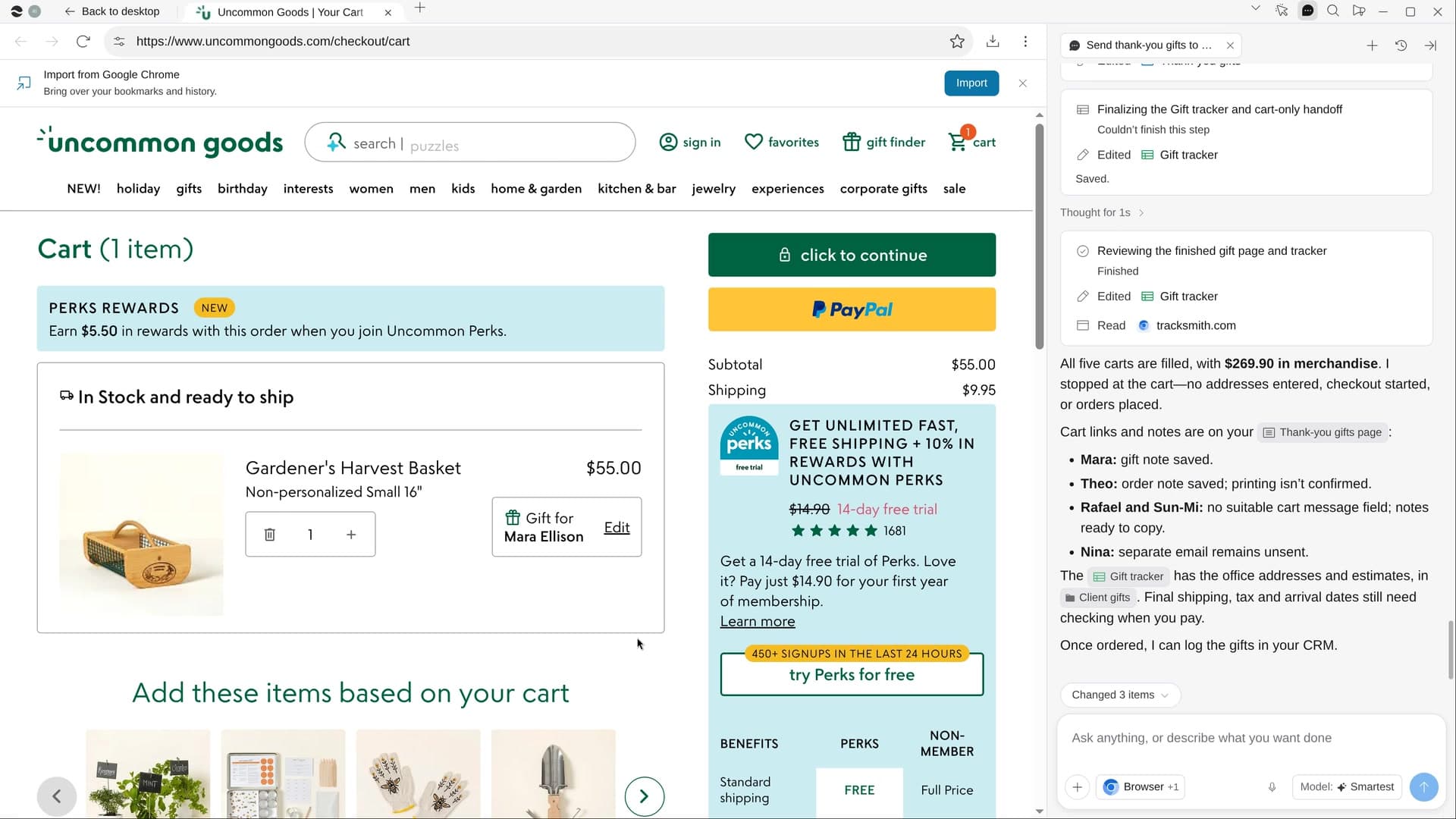 Send thank-you gifts to your best clientsRiver picks a personal gift for each of your best clients, writes the notes and fills the carts for you to pay.
Try it on your own work.
Download River, choose Customer success manager, and press Start on “Find customers at risk of leaving”.