
Why your number moved, answered in the first line.
Every likely cause checked against your real data.
How it works.
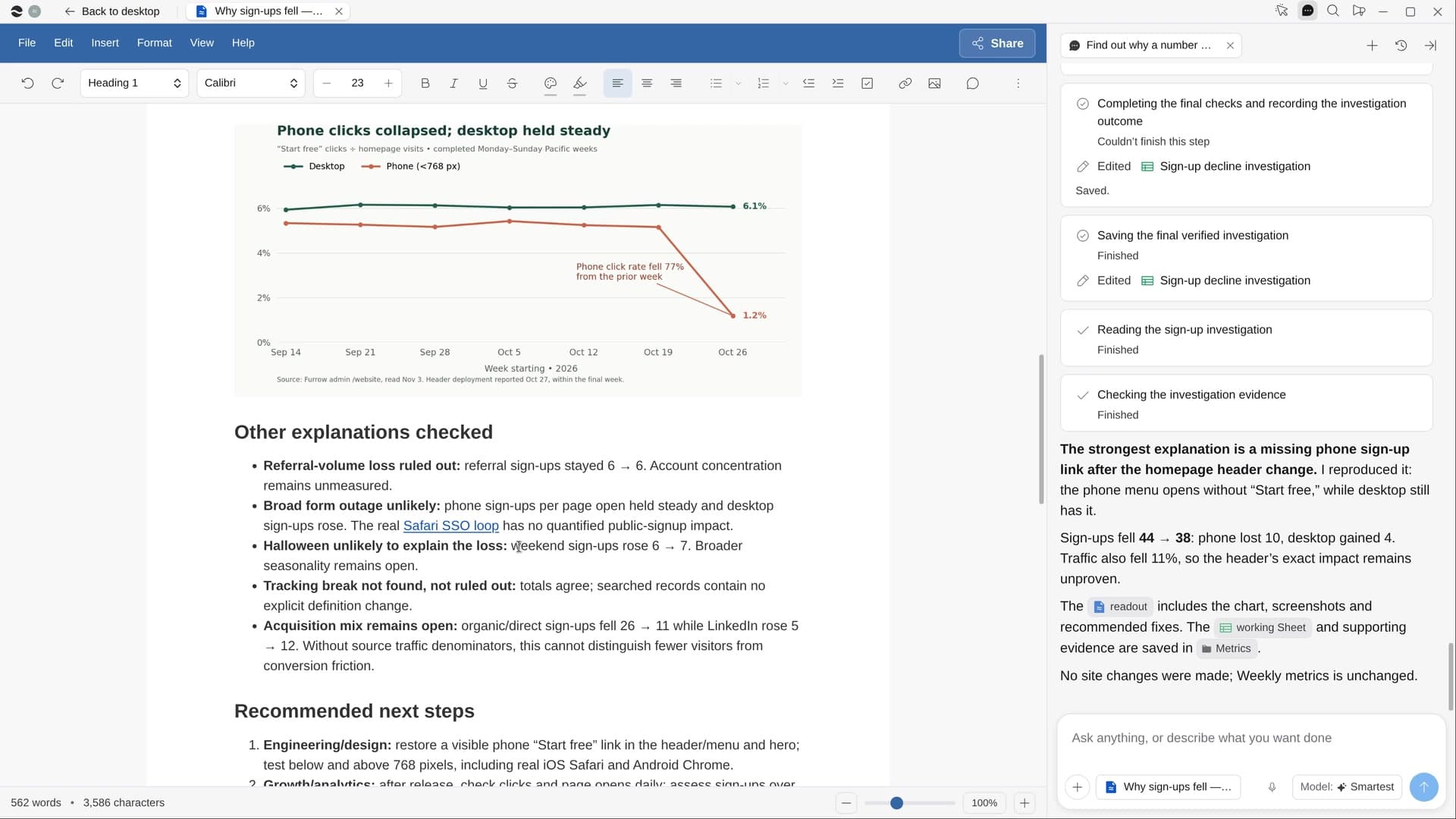
Name a number that dropped or jumped. River confirms the move, splits it until one slice stands out, lines it up with what changed that week, and reproduces the break in a real browser.
Name the number
Sign-ups, conversion, revenue or churn, and roughly when it moved; River can guess from your dashboards.
River tests every suspect
Tracking breaks, holidays, big customers, releases, pricing and site edits, ad spend and outages.
A readout, answer first
The likely cause in one line, how sure River is, one chart, the evidence and what to do next.
What you get.
- A readout Doc with the cause first, a chart and what to do next
- Screenshots of what breaks, walked through in a real browser
- The causes ruled out, one line each, with the working Sheet linked
Start in three steps.

Get River
Download the app for your computer.
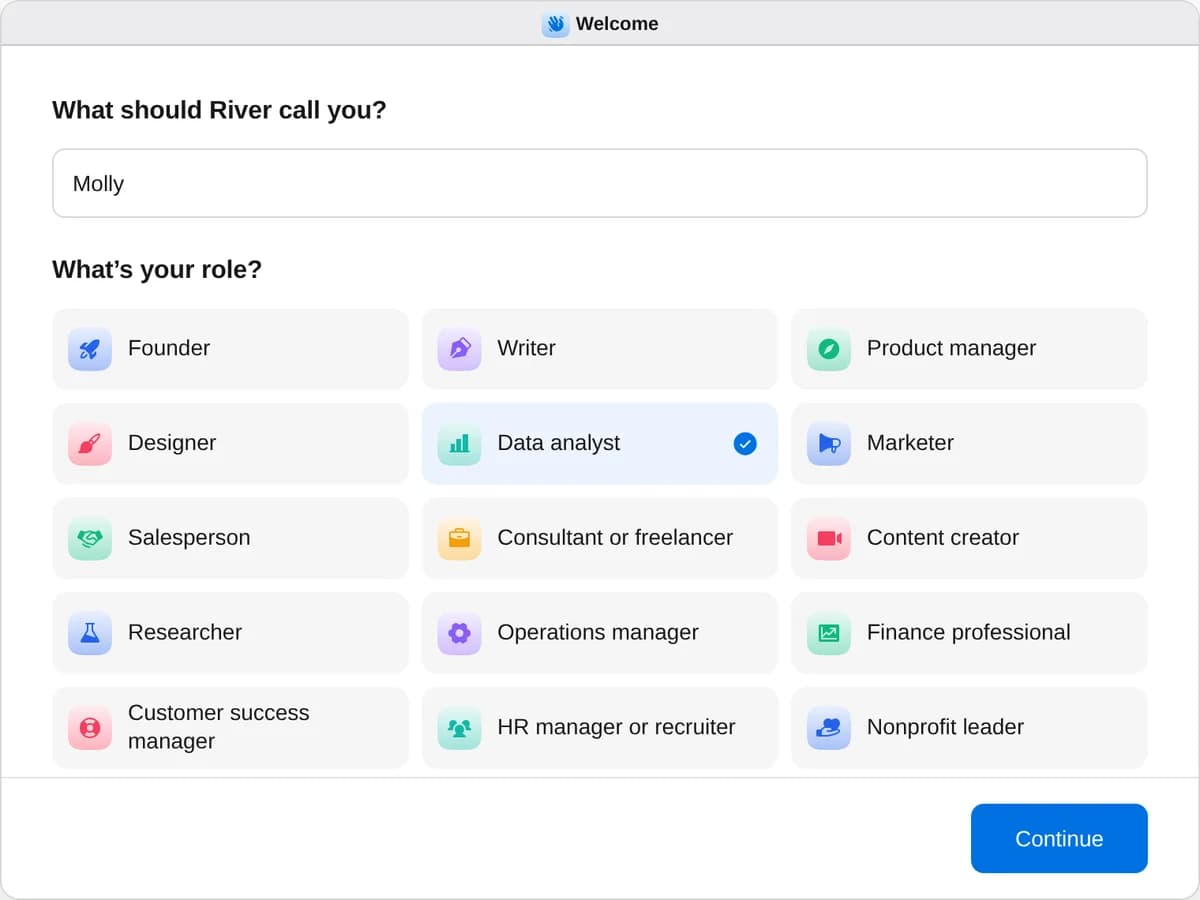
Sign up as a data analyst
When River asks your role, choose Data analyst.
- Playbooks
Data analyst
Start a playbook and River works through it with you in the chat.
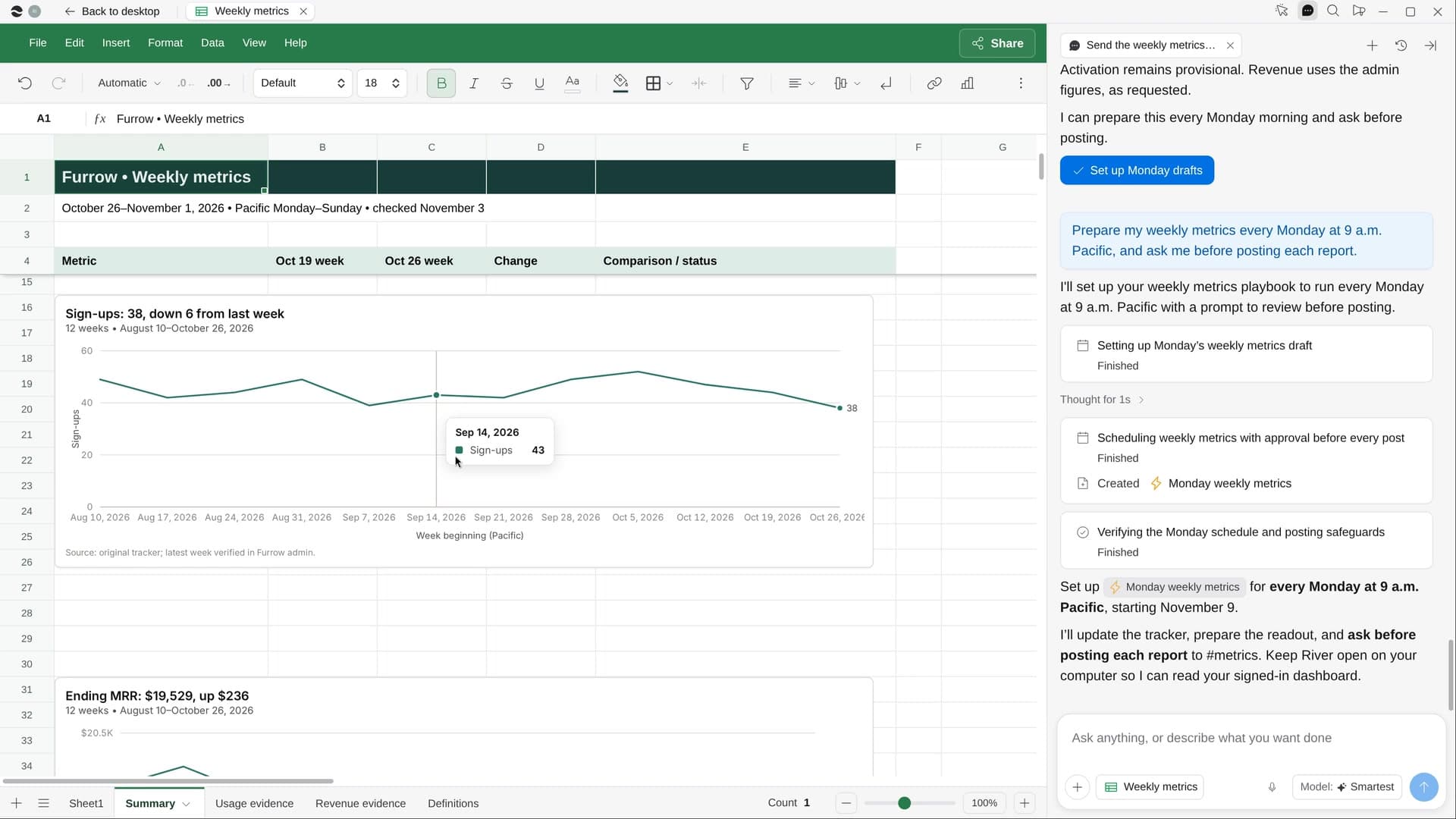
StartSend the weekly metrics reportEvery week River pulls your key numbers, charts them and writes what changed and why, ready to post.StartFind out why a number movedName a number that dropped or jumped: River checks every likely cause and shows you the evidence.StartMake the company’s year in reviewRiver turns your year in Slack, GitHub, Stripe and more into a fun Wrapped for the all-hands.Start “Find out why a number moved”
Press + in your Dock, open Playbooks, and press Start. River asks which number and since when, with its own guess filled in.
A few things to know.
Will River change anything while it digs?
River only reads while it investigates. Filing a fix or posting the readout asks you once first.
What if it’s just a tracking glitch?
River checks that first: a broken tracker, a changed definition, a holiday or one big customer get ruled out before it hunts further.
What does it cost?
It uses your plan’s AI credit, like everything else in River. It works from the dashboards and reports your team already has.
View pricingMore for data analysts.
All data analyst playbooks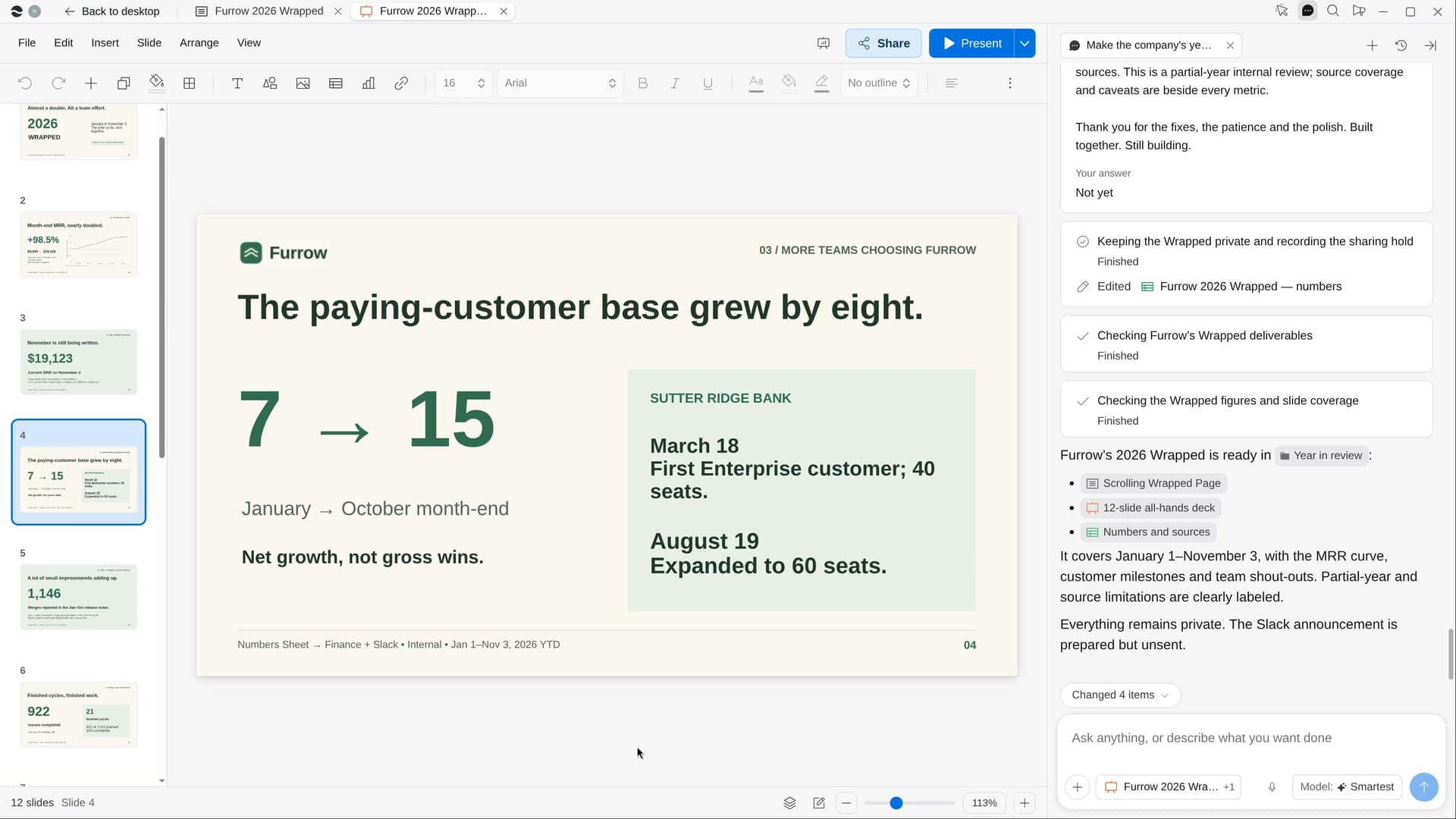
Try it on your own work.
Download River, choose Data analyst, and press Start on “Find out why a number moved”.