
Candidates who fit, each with a note of their own.
One follow-up, then a booked chat for every yes.
How it works.
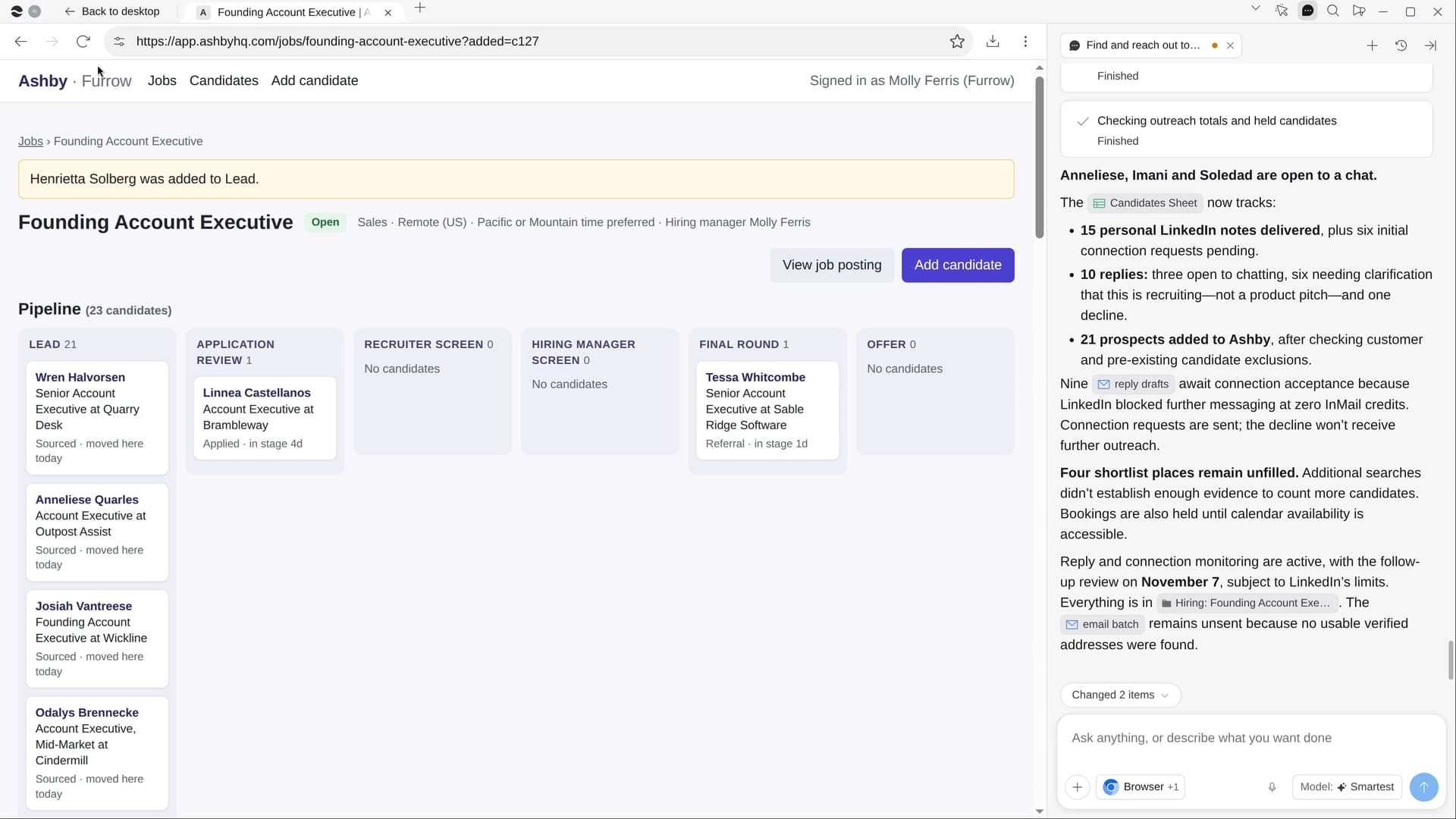
River reads your open role, finds people who match its must-haves and may be ready to move, and writes each a short note about their work. Every yes gets a link to book a 20-minute chat.
Pick the role and who to skip
River reads the job post or your hiring system. Name customers or companies you won’t hire from.
River finds people who fit
Must-haves, level, location and a likely moment to move, like two-plus years in role or a reorg.
Notes out, chats booked
Sent on your go-ahead by email, or LinkedIn when there’s no address, then one follow-up after about four days.
What you get.
- A Candidates Sheet of real people who match the post, with verified emails
- A 60 to 90 word note to each, naming one real thing about their work
- Every candidate added to your hiring system, and every yes sent a booking link
Start in three steps.

Get River
Download the app for your computer.
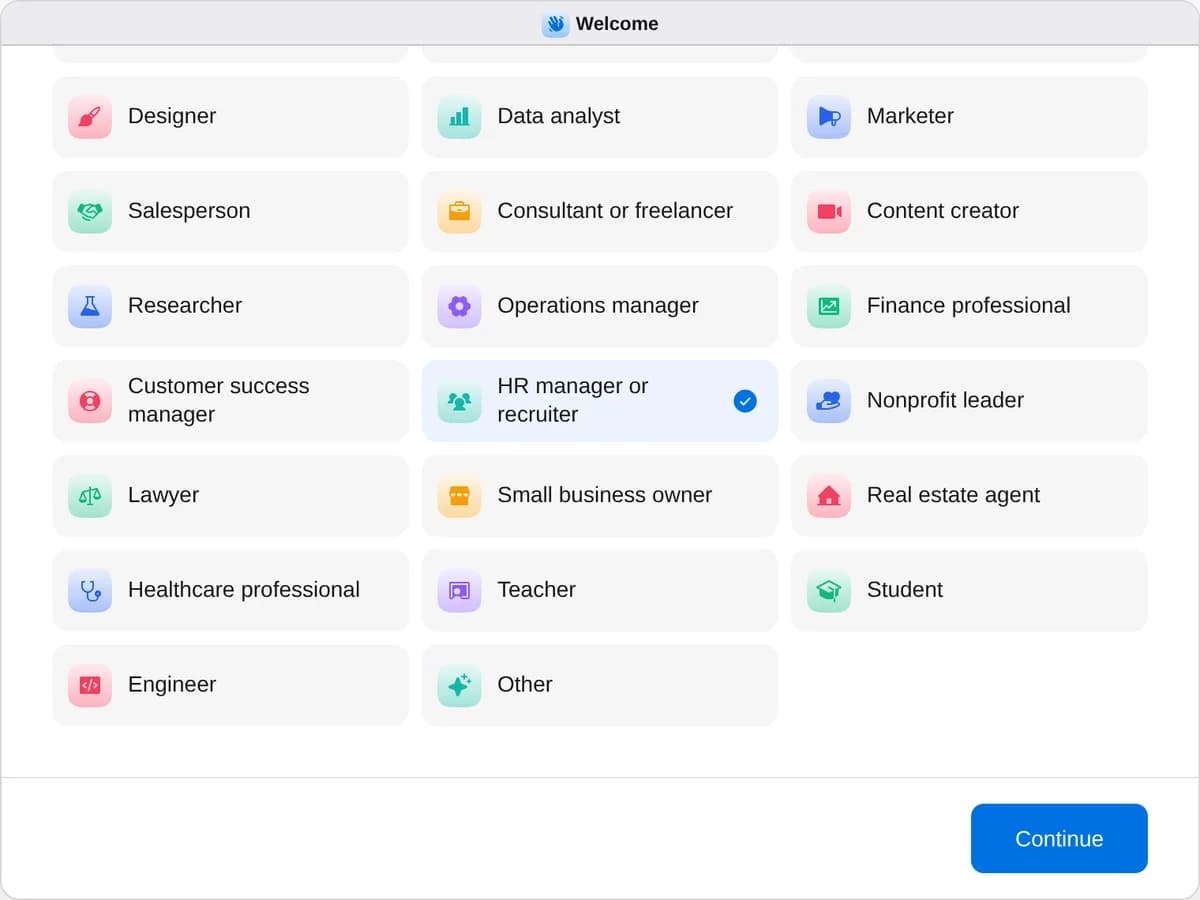
Sign up as an HR manager or recruiter
When River asks your role, choose HR manager or recruiter.
- Playbooks
HR manager or recruiter
Start a playbook and River works through it with you in the chat.
StartFind and reach out to candidatesRiver finds people who fit your open role, writes each a personal note and follows up until they answer.StartSchedule interviews for your finalistsRiver books each finalist’s interviews around everyone’s calendars and gives every interviewer a kit.StartPlan a new hire’s first weekRiver plans the first week, a welcome page, a team lunch and a welcome kit so day one feels great.Start “Find and reach out to candidates”
Press + in your Dock, open Playbooks, and press Start. River reads your open roles and asks which one, how many people and who to skip.
A few things to know.
Where does River find candidates?
Searches by title, company and place, your LinkedIn for tenure and recent moves, and GitHub or portfolios for engineers and designers. It looks for 25 people unless you name another number.
Will it contact someone already in our pipeline?
River checks each name against your hiring system and customer list once, and leaves out every match. Nobody marked skip is contacted.
What does it cost?
It uses your plan’s AI credit, like everything else in River. It works with the Ashby, Greenhouse or Lever account your team already has.
View pricingMore for HR managers and recruiters.
All HR manager or recruiter playbooks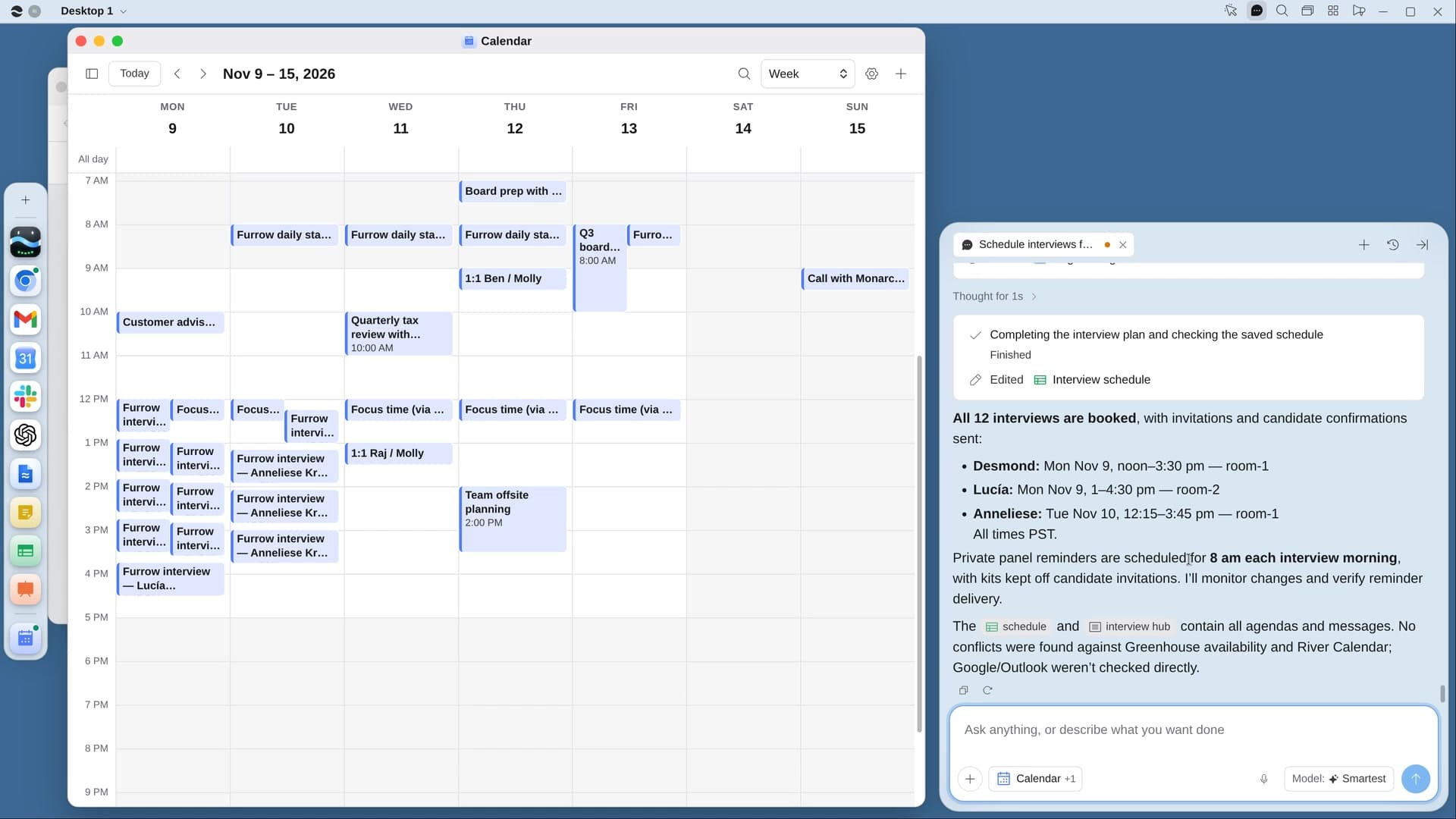
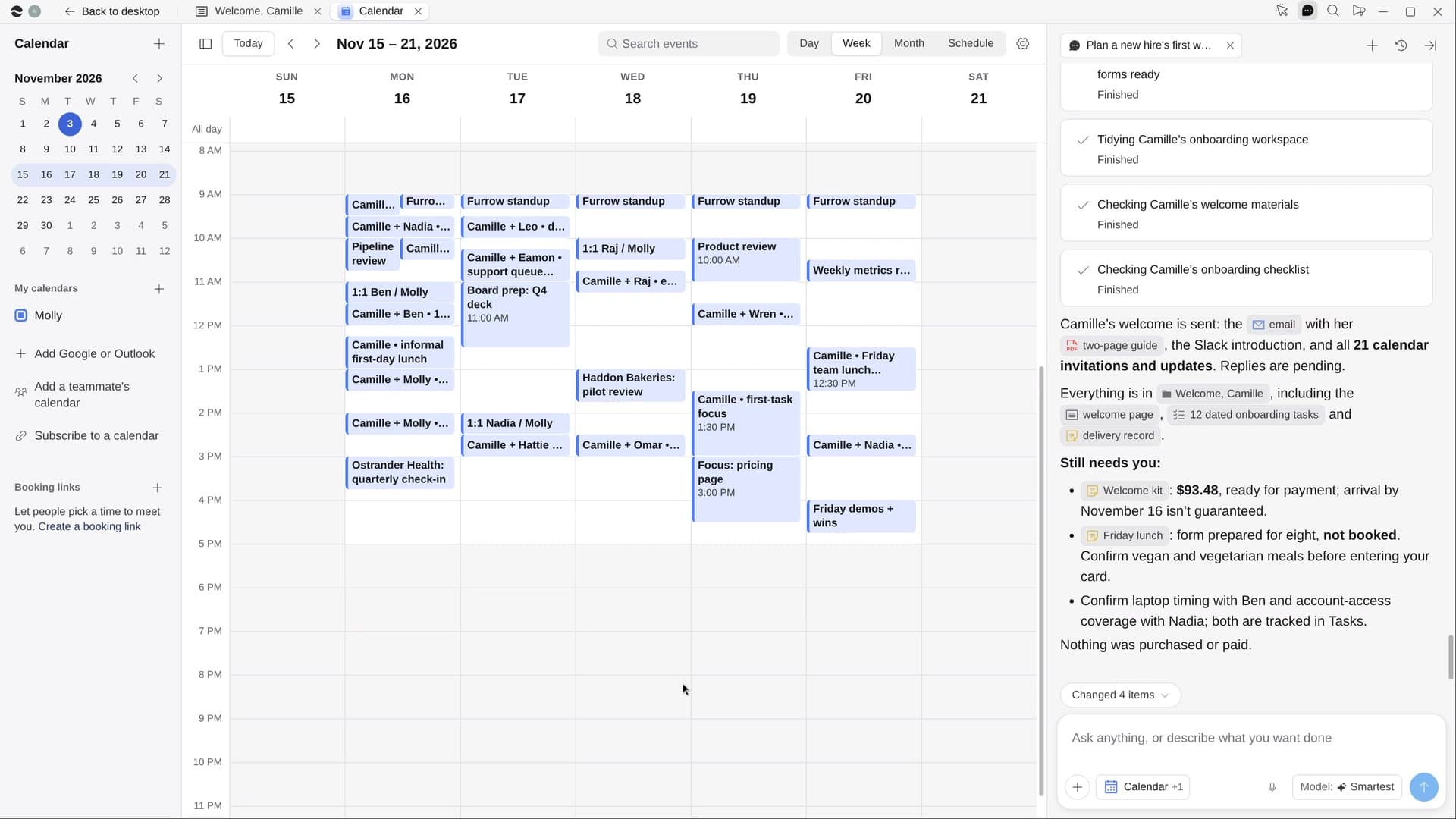
Try it on your own work.
Download River, choose HR manager or recruiter, and press Start on “Find and reach out to candidates”.