
Real vendors, real quotes, and a clear pick.
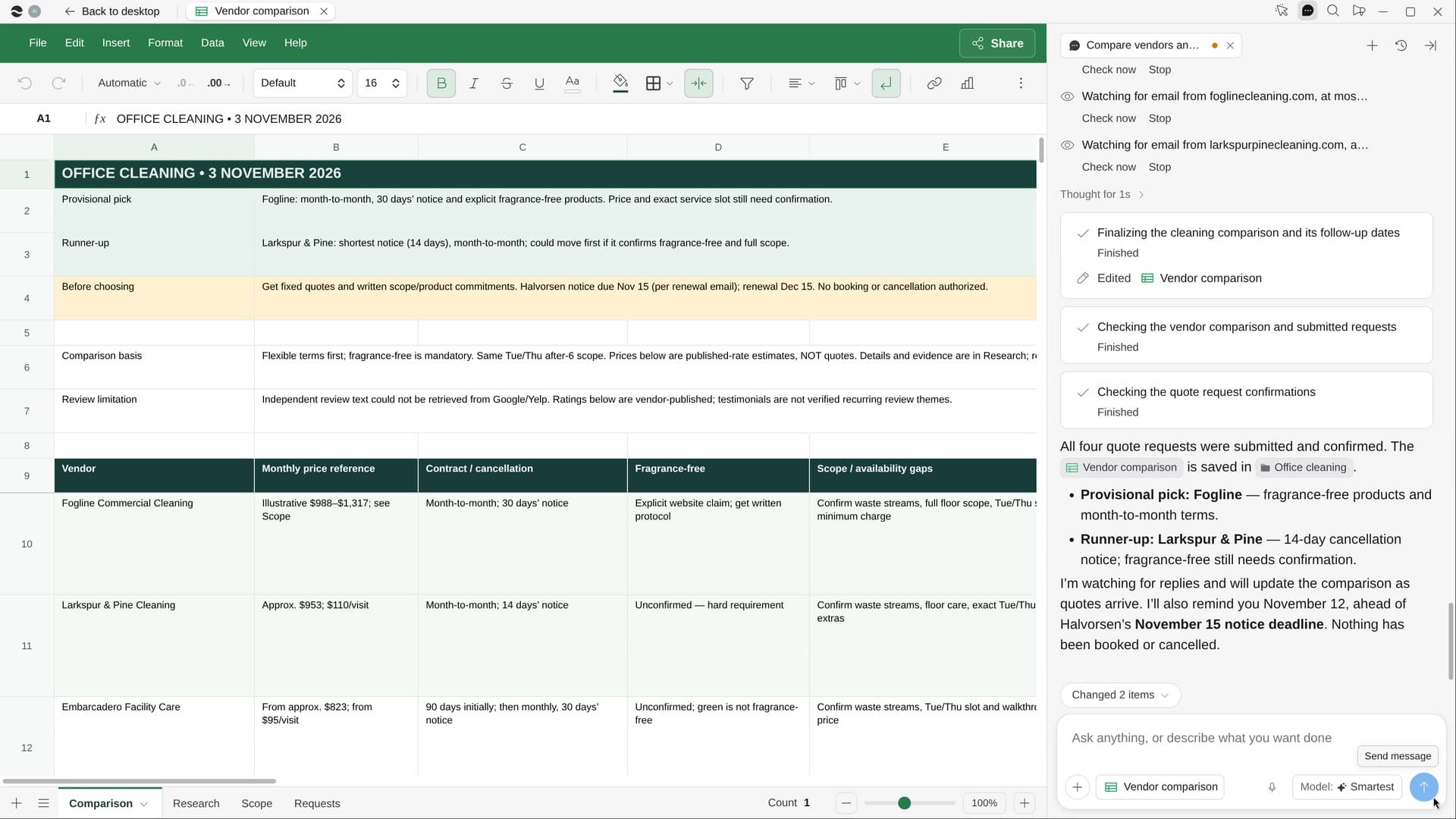
Compared on the same scope, every number sourced.
How it works.
River finds four to six real vendors that serve your address, compares them in one Sheet, requests a quote from each on the same scope and recommends one as the quotes come in.
Describe the job to quote
Who, where and by when; River reads most of it from the email or Slack thread that raised it.
River compares like for like
Price, what’s included, contract and notice, coverage and reviews, from each vendor’s own site.
Quotes in, pick on top
Requests go out with one scope; replies land in the Sheet and the recommendation keeps up.
What you get.
- A Vendor comparison Sheet with every number linked to its source
- Quote requests sent to each vendor with the same scope
- A pick and a runner-up in three lines, updated as quotes arrive
Start in three steps.

Get River
Download the app for your computer.
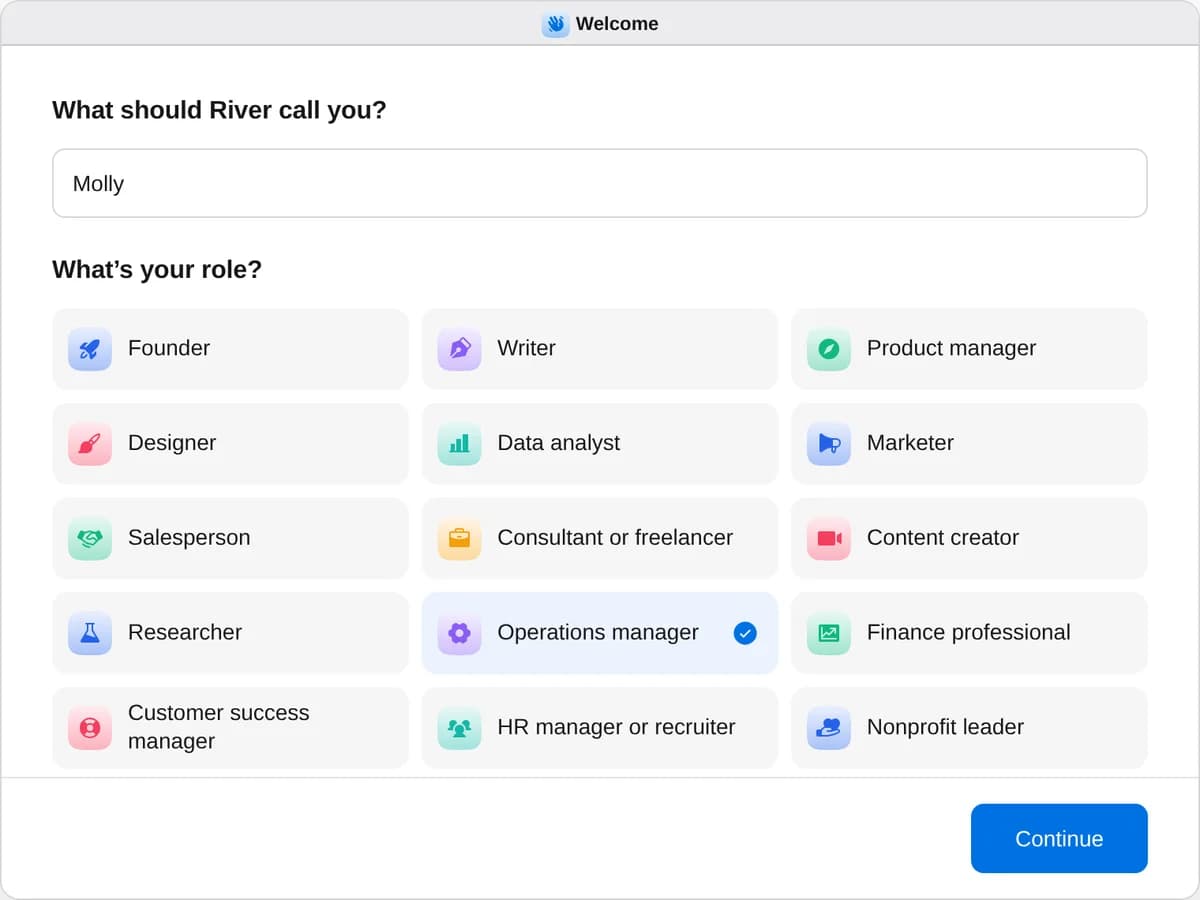
Sign up as an operations manager
When River asks your role, choose Operations manager.
- Playbooks
Operations manager
Start a playbook and River works through it with you in the chat.
StartCompare vendors and get quotesRiver compares real vendors on price, terms and reviews, requests their quotes and recommends one.StartCut software you don’t useRiver lists every tool you pay for, finds unused seats and overlaps, and lines up the cuts before renewal.StartStock the office kitchenRiver picks snacks your team will love, for every diet, and fills the store carts for the office.Start “Compare vendors and get quotes”
Press + in your Dock, open Playbooks, and press Start. River pulls the need from your mail and Slack, then asks about any vendor to include.
A few things to know.
Are these real, operating vendors?
River only compares vendors that are operating now and serve your address, and every price and term links back to where it was found.
What details go into the quote forms?
Only your company’s work contact details, with the same scope on every form so the quotes compare cleanly.
What does it cost?
It uses your plan’s AI credit, like everything else in River. Whichever vendor you choose, you sign with and pay them directly.
View pricingMore for operations managers.
All operations manager playbooks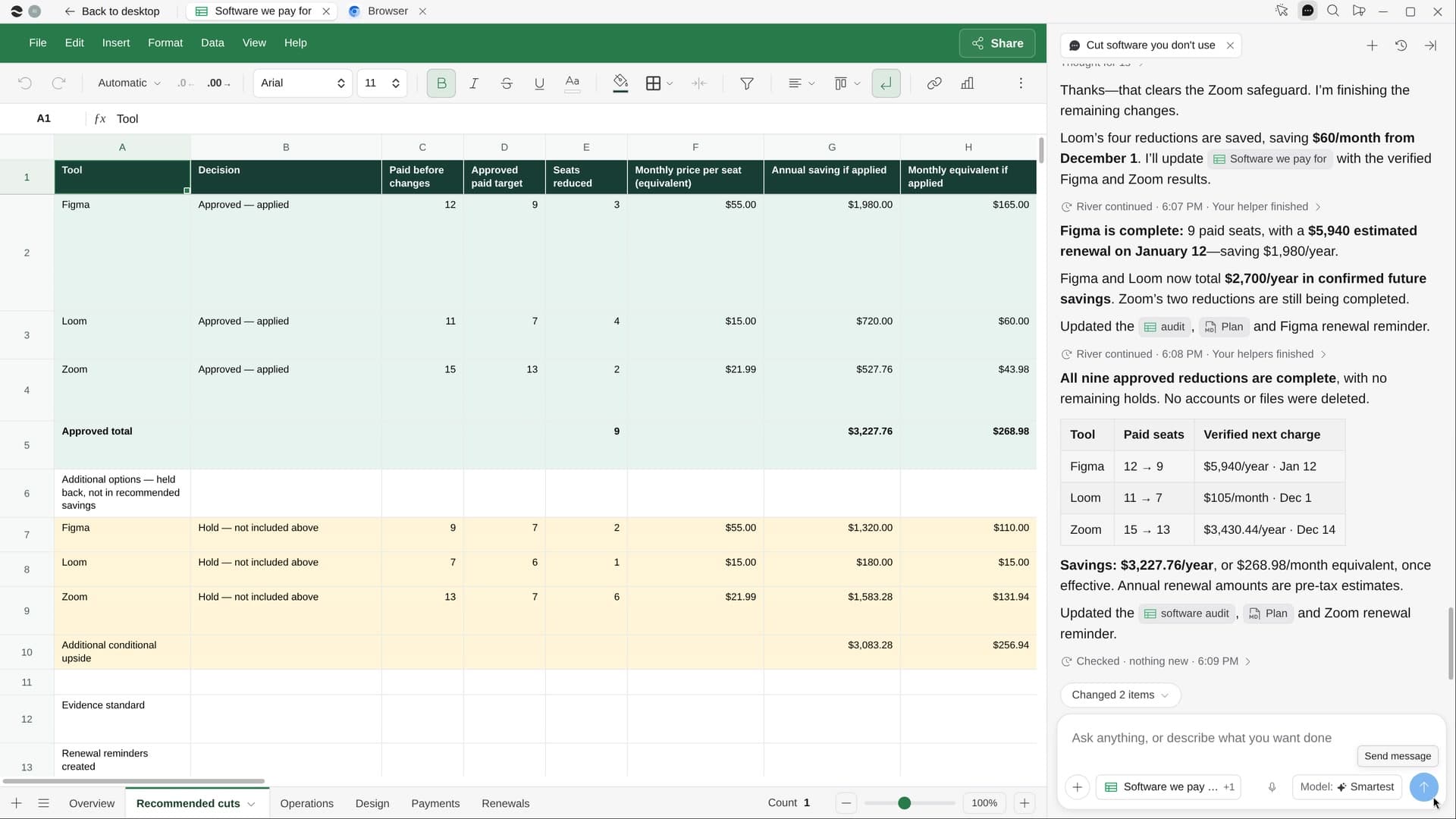
Try it on your own work.
Download River, choose Operations manager, and press Start on “Compare vendors and get quotes”.