
Every donor thanked within the week, personally.
First-time and ten-year donors never get the same note.
How it works.
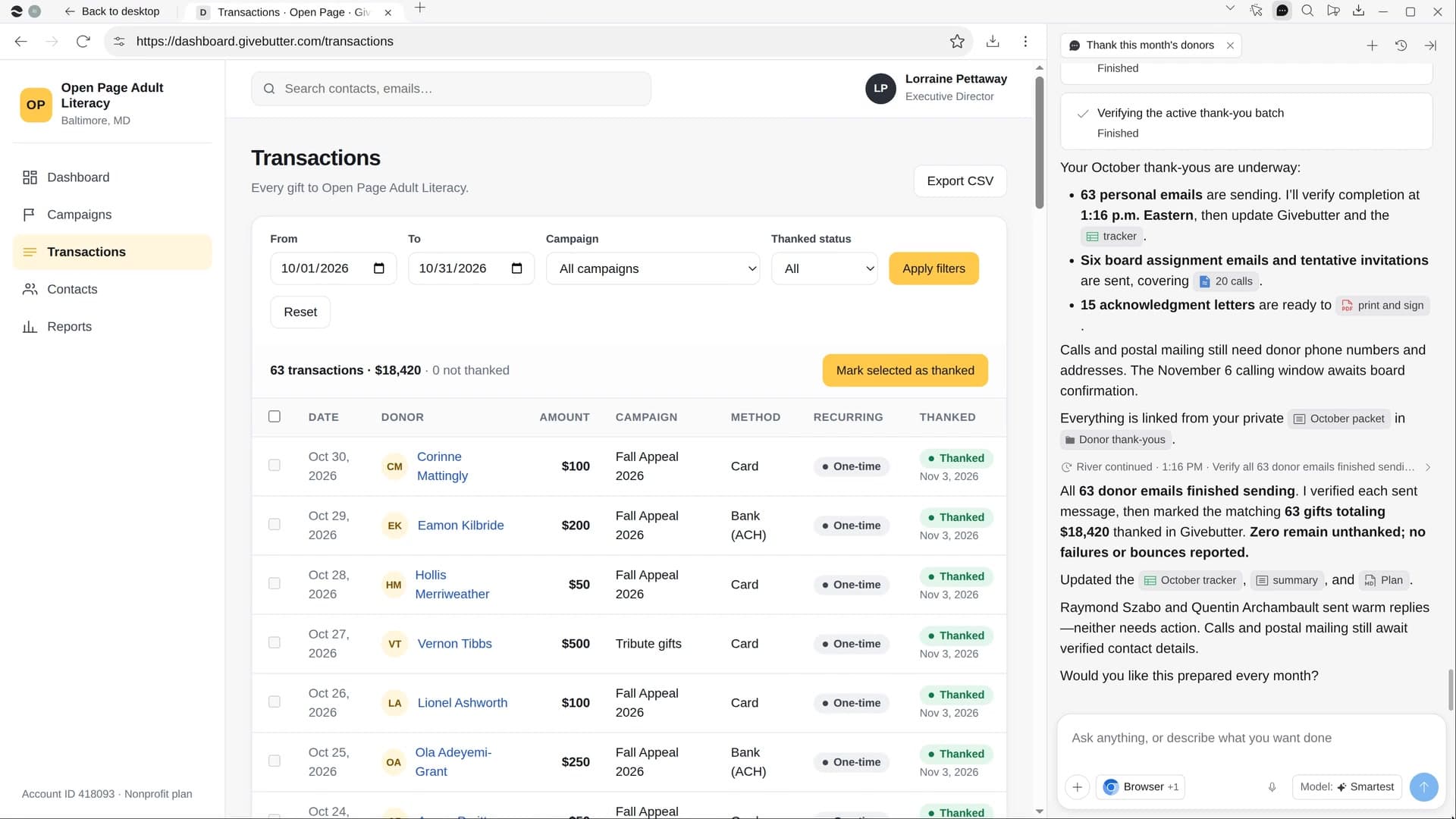
River pulls this month’s gifts from your donor tool, writes each donor a short note in your director’s voice, prepares letters for larger gifts and a board call list, and marks every gift thanked.
Confirm who signs
River finds the month’s gifts in your donor tool or Stripe. Your director signs unless you pick someone else.
River writes each thank-you
Grouped by history, each one names the amount, what it does and a real detail about that donor.
Thanked, and marked thanked
Notes go out from the signer’s own address, letters are ready to sign and each gift shows Thanked.
What you get.
- A personal email for every gift this month, sent from the signer’s address
- Printable letters for larger gifts, ready to sign
- A board call list split across members, with calendar holds and a line on each donor
Start in three steps.

Get River
Download the app for your computer.
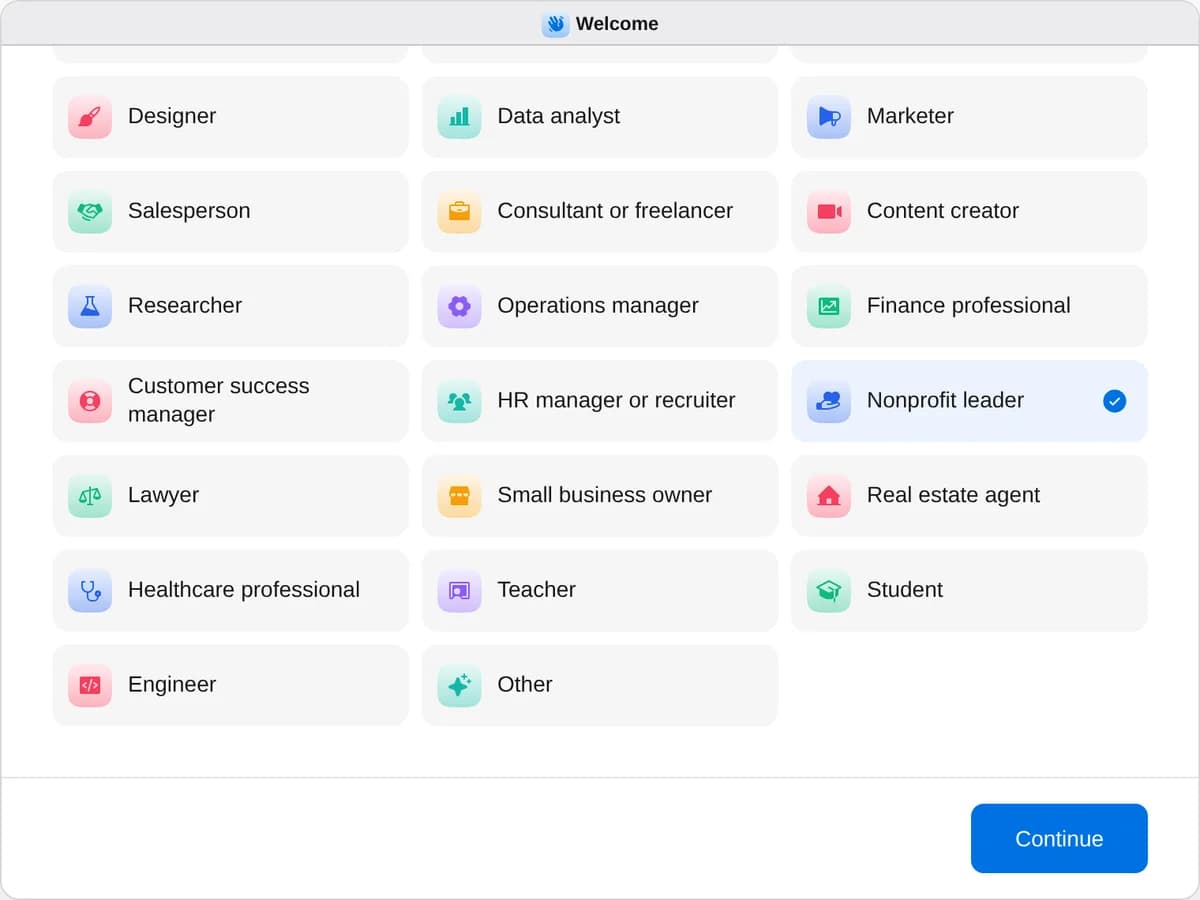
Sign up as a nonprofit leader
When River asks your role, choose Nonprofit leader.
- Playbooks
Nonprofit leader
Start a playbook and River works through it with you in the chat.
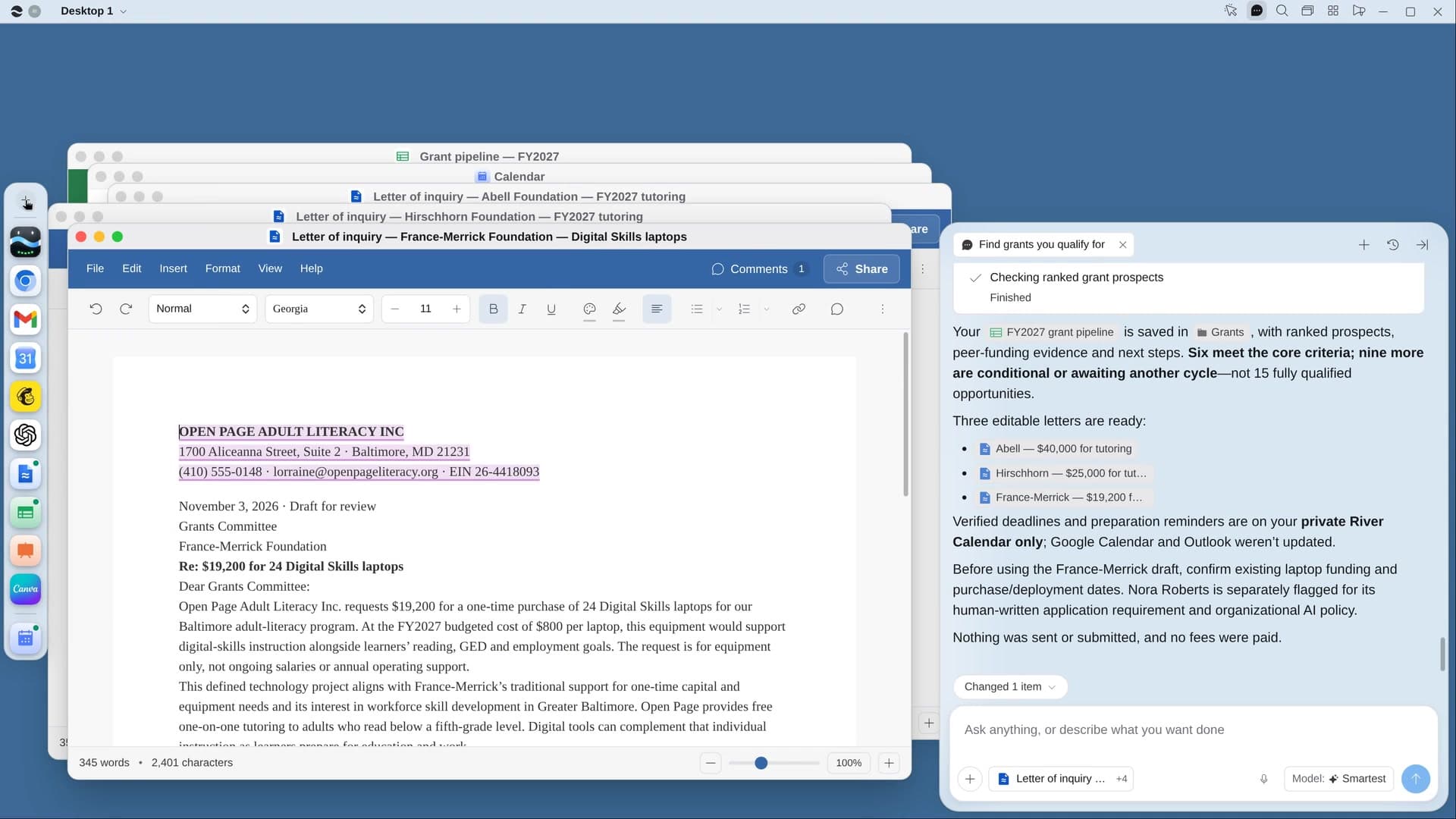
StartFind grants you qualify forRiver finds funders already giving to work like yours, puts deadlines on your calendar and drafts the first letters.StartThank this month’s donorsRiver writes a personal thank-you for every gift this month, plus letters and a board call list, sent on your OK.StartCollect silent auction donationsRiver asks local businesses for auction items through their own forms, tracks pledges and makes the bid sheets.Start “Thank this month’s donors”
Press + in your Dock, open Playbooks, and press Start. River finds this month’s gifts and asks who should sign the thank-yous.
A few things to know.
Will every donor get the same note?
No. A first gift, a monthly donor, someone back after a lapse and a gift in someone’s memory each get a different note, with the amount, what it does and a detail from their history.
Does it handle tax acknowledgments?
Yes. Gifts of $250 or more also get a printable letter stating the amount and whether anything was given in return, ready for the signer.
What does it cost?
It uses your plan’s AI credit, like everything else in River. It works in the donor tool you already have, like Givebutter, Bloomerang or Little Green Light.
View pricingMore for nonprofit leaders.
All nonprofit leader playbooks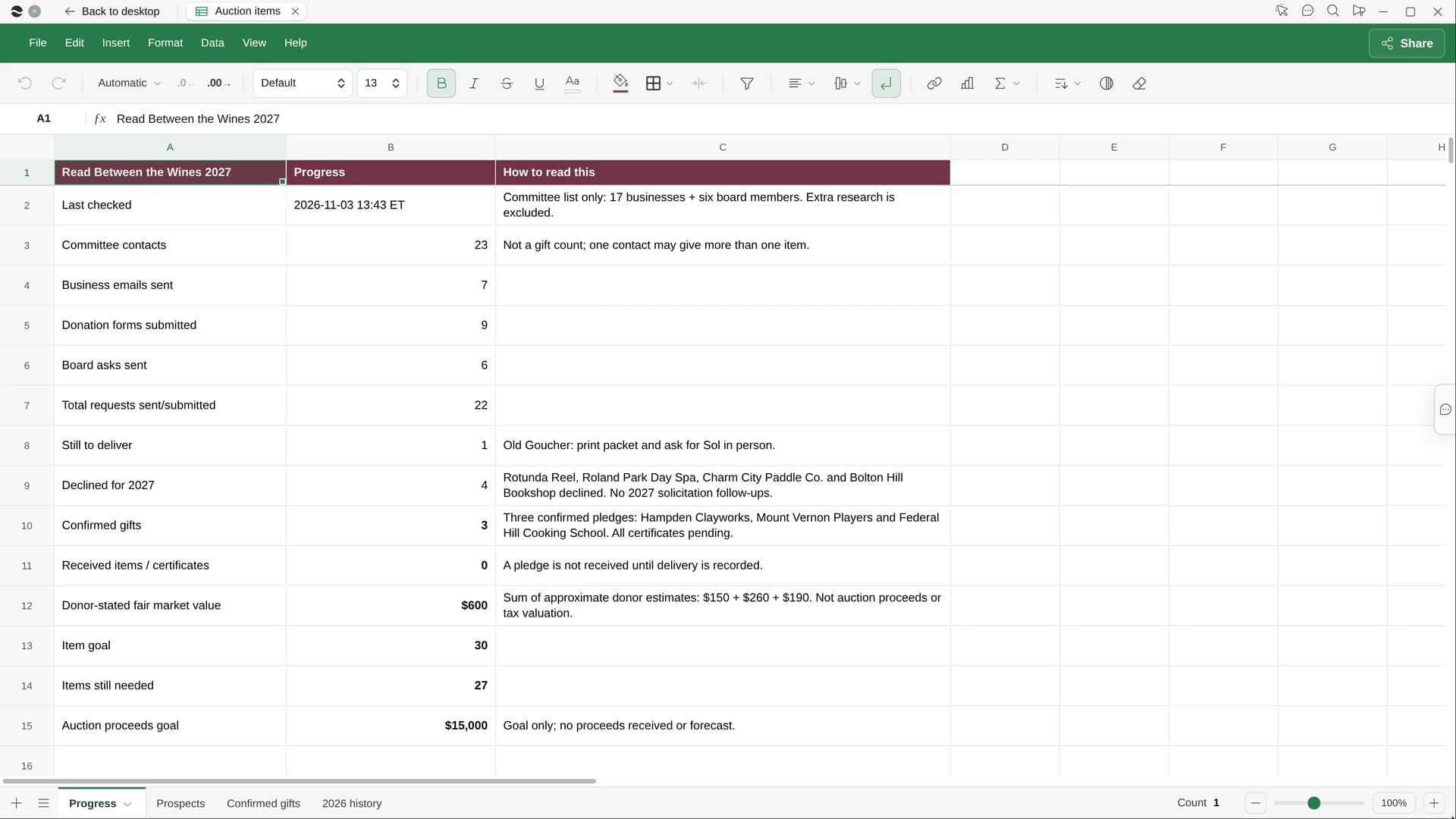
Try it on your own work.
Download River, choose Nonprofit leader, and press Start on “Thank this month’s donors”.