
The buyers hiding in your X replies, reached.
And in your likes, quotes and new followers.
How it works.
After a post or launch, River sorts everyone who replied, quoted, reposted or liked it, checks them against your customers, and messages the right ones about what they engaged with.
Name the post and the offer
Your latest post with real engagement or your launch, and an offer the post earned, like early access.
River sorts everyone
Buyer, customer, peer, investor or other, from each bio and your customer list. Bots are skipped.
Good fits get a message
Under 75 words about what they did: their reply quoted, or the post’s topic for a like.
What you get.
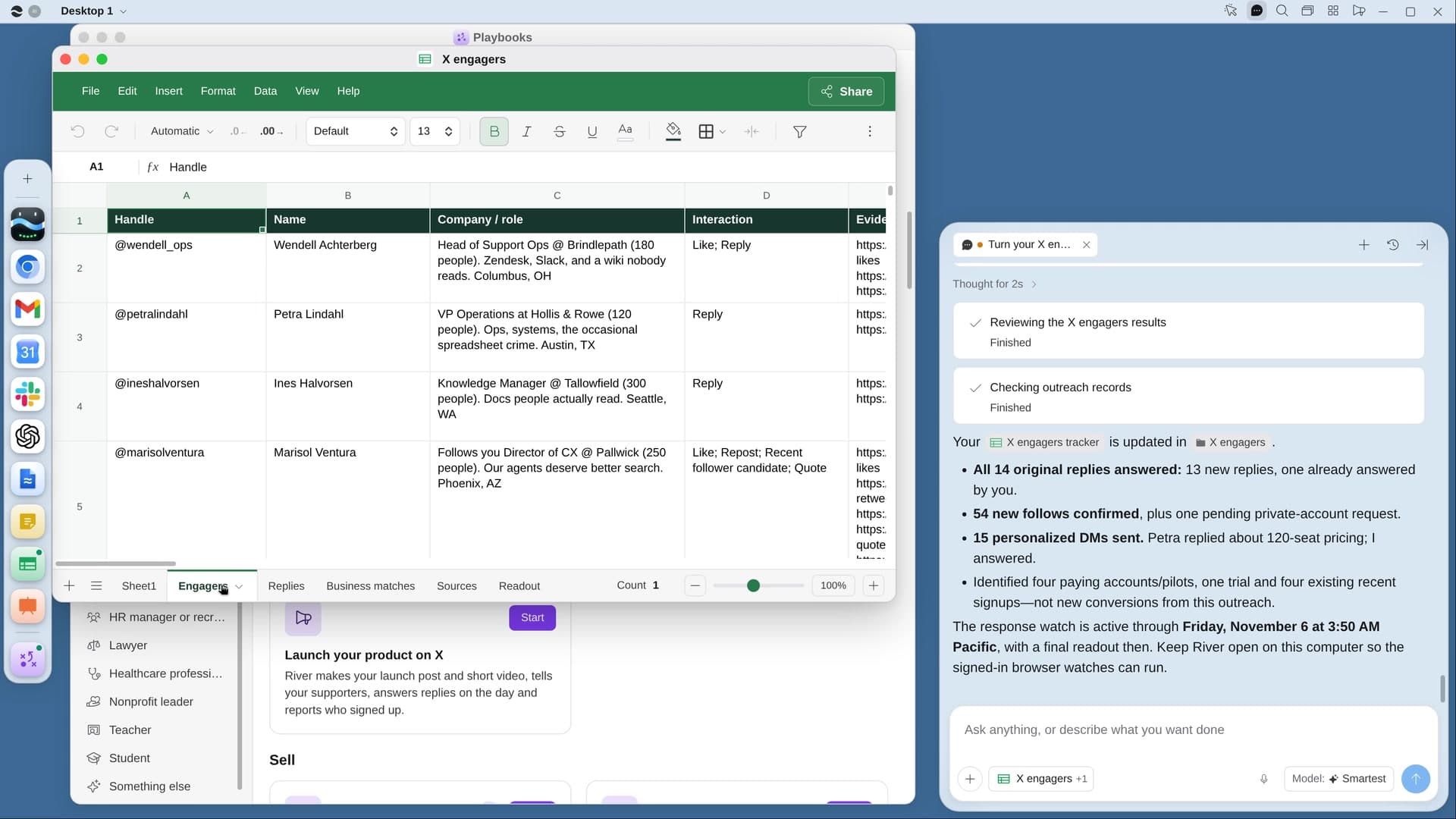
- An X engagers Sheet of everyone who engaged, sorted by fit
- A short message to each good fit within a few days, and a thank-you to customers
- Replies answered, yeses booked, and a read-out of conversations and calls
Start in three steps.

Get River
Download the app for your computer.
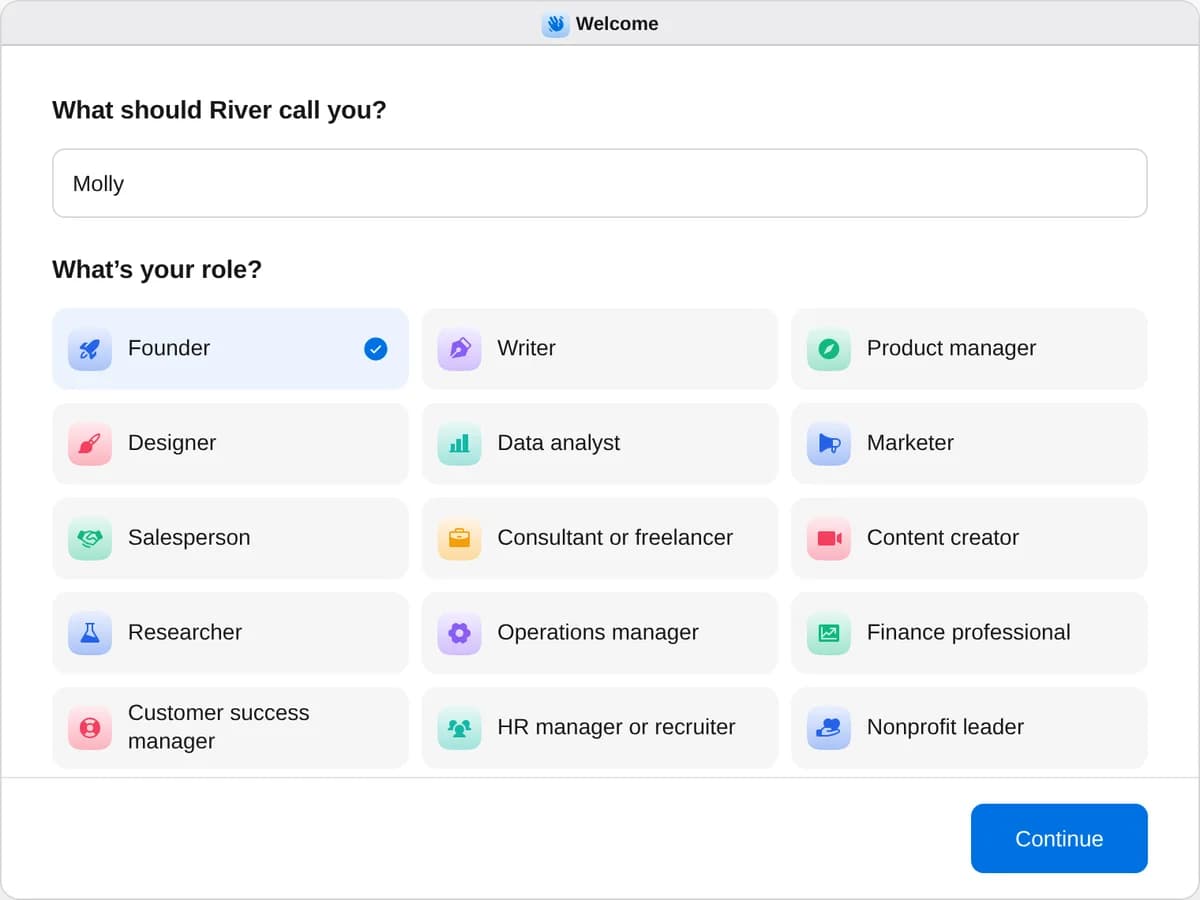
Sign up as a founder
When River asks your role, choose Founder.
- Playbooks
Founder
Start a playbook and River works through it with you in the chat.
Find customers
StartBuild a list of leadsSay who you want to reach: River finds high-quality leads, each with a reason to reach out now, and builds your list.StartReply to people with the problem you solveRiver finds people on Reddit, Hacker News and forums describing the problem you solve and drafts a reply that truly helps.StartSend prospects something useful firstRiver reviews each prospect’s own product, writes them a one-page note on what it found and emails it from your Gmail.StartGet warm intros to your target accountsRiver finds who you know at each target account, picks the best way in and drafts an intro ask they can forward.StartSell to your YC batchmatesRiver finds the YC companies that need your product, writes your Bookface offer and notes to their founders, and follows up.StartBook meetings at your next conferenceRiver picks who to meet from the event’s lists, books 15-minute slots before you go and drafts every follow-up after.StartPlan a trip to meet customersPick a city: River books meetings with your customers and best leads there, plans both days and fills in your travel.StartHost a customer dinnerRiver builds the guest list from your CRM, finds a private room, writes the invitations and tracks every RSVP.LinkedIn
StartSend connection requestsTell River who you want to meet, and it finds the right people and sends connection requests from your LinkedIn.StartSend messagesRiver writes each connection a short, personal message, follows up if they don’t answer and helps book the meeting.StartConnect with people who engagedRiver finds the people who reacted to, commented on or shared your post and sends connection requests to the right ones.StartComment on postsRiver finds fresh posts your customers read and writes a thoughtful comment for you to post.StartRespond to commentsRiver drafts a response to each comment on your posts, ready for you to post while they’re fresh.StartSend personalized connection requestsRiver writes each person a short note about something you have in common and sends it with the connection request.StartReact to postsRiver reacts to recent posts from your customers and prospects, so you stay on their radar.StartWrite and schedule your LinkedIn postsRiver writes this week’s posts from what really happened, makes a picture for each and schedules them on LinkedIn.StartFix your LinkedIn profile for sellingRiver rewrites your headline, About and Featured for your buyers, makes a banner and updates your profile on your OK.X
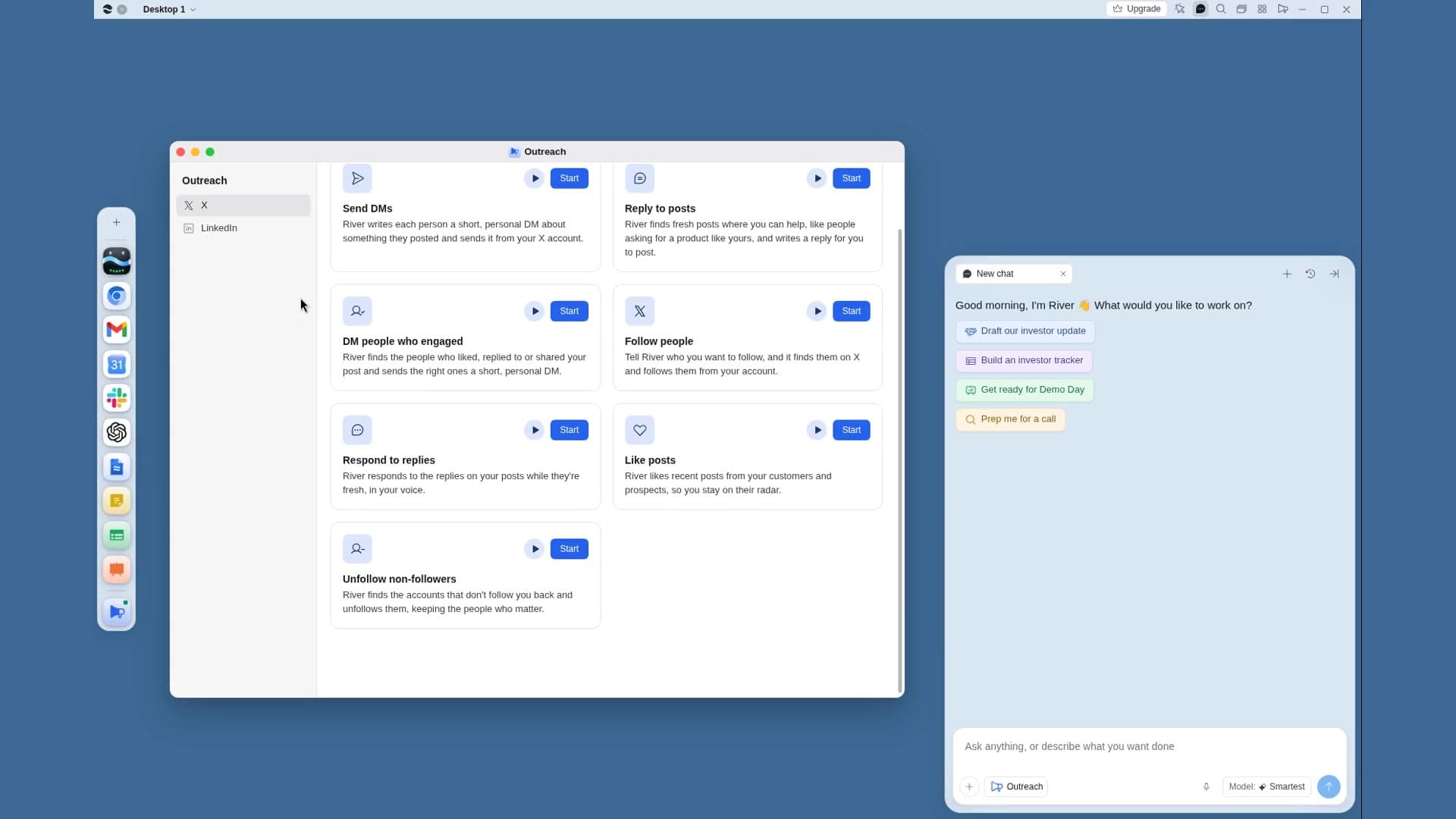
StartSend DMsRiver writes each person a short, personal DM about something they posted and sends it from your X account.StartReply to postsRiver finds fresh posts where you can help, like people asking for a product like yours, and writes a reply for you to post.StartDM people who engagedRiver finds the people who liked, replied to or shared your post and sends the right ones a short, personal DM.StartFollow peopleTell River who you want to follow, and it finds them on X and follows them from your account.StartRespond to repliesRiver responds to the replies on your posts while they’re fresh, in your voice.StartLike postsRiver likes recent posts from your customers and prospects, so you stay on their radar.StartUnfollow non-followersRiver finds the accounts that don’t follow you back and unfollows them, keeping the people who matter.StartPost your weekly build-in-public updateEach week River turns what you shipped into an X post with a short clip, plus a LinkedIn version, posted when you say yes.StartLaunch your product on XRiver makes your launch post and short video, tells your supporters, answers replies on the day and reports who signed up.Sell
StartSend a cold email campaignSay who and what you offer: River finds the people, writes in your voice, sets up the sending and sends when you say go.StartAnswer every demo request in minutesRiver looks up each new demo request and readies a personal reply with times to meet, sent with one tap.StartBring back leads who went quietRiver finds every buyer who stopped replying and writes each a short note with a fresh reason to pick it back up.StartFollow up on last week’s callsRiver reads last week’s calls, finds the follow-ups that slipped and does every one you pick.StartPrep for tomorrow’s meetingsRiver writes a one-page brief for each of tomorrow’s outside meetings: who’s coming, what changed, what to ask.StartSend a proposal after a demoFrom your demo call, River writes the proposal with real pricing and a plan to signing, and drafts your email.StartTurn a pilot into a paid contractRiver turns a pilot into a paid deal: a one-page plan in your champion’s numbers, the order form and every date held.StartSet your pricingRiver checks competitors’ live prices, your Stripe and your calls, then tells you the number to charge and why.StartTurn happy customers into case studiesRiver finds your happiest customers, books short interviews and writes case studies and quote cards they approve.StartUpdate every deal in your CRMRiver checks each open deal against your mail and calls, fixes stages and dates in your CRM and nudges stalled ones.StartFill in a security questionnaireRiver fills in a buyer’s security questionnaire from your own documents and past answers, and asks what it can’t find.Users and product
StartBook customer interviews this weekRiver finds the right people, invites them, books ten interviews this week and turns every call into clear notes.StartEmail every new signup yourselfEvery morning River drafts a personal note from you to each new signup, offering to help them get set up.StartInterview users who cancelledRiver asks everyone who cancelled what made them stop, then shows why people leave and what to fix first.StartRun the product-market fit surveyRiver sends the product-market fit survey to your active users, then shows your score, your fans and what to fix.StartSign up for your product like a strangerRiver signs up for your product like a stranger, times every step and shows the five fixes that matter most.StartRank what customers are asking forRiver reads your calls, tickets and Slack, then ranks every request by how many customers and how much revenue ask.StartFind customers at risk of leavingRiver checks every customer’s usage, tickets, calls and contacts, ranks who might leave and drafts a plan to keep them.StartTest-drive your competitors’ productsRiver tries your competitors’ products, screenshots what they do best and tells you what to do next.Launch and grow
StartLaunch on Hacker NewsRiver writes your Hacker News launch post, checks anyone can try your product and drafts replies to every comment.StartLaunch on Product HuntRiver fills in your Product Hunt listing, invites your supporters to try it and drafts replies on launch day.StartPlan your launch weekRiver plans a launch in every community you belong to, writes each post and counts the signups each one brings.StartMake a demo video of your appA polished video of your real product: River records your app, then adds zooms, a voice-over, music and captions.StartTest an idea with a landing pageRiver builds a waitlist page for your idea, brings the right people to it and tells you after a week if it’s worth building.StartFix your homepage so visitors sign upRiver checks your homepage the way a new visitor sees it, rewrites it in your customers’ words and saves a draft.StartWrite blog posts your buyers search forRiver finds what your buyers search for and writes posts better than what ranks now, saved as drafts in your blog.StartSee how you rank on Google and ChatGPTRiver checks how your site shows up on Google and in AI answers, then gives you the top fixes and a 30-day plan.StartPitch your news to reportersRiver finds the reporters who cover companies like yours and a friend to introduce you, then writes the pitch.StartFind what to post on LinkedIn and XRiver digs into what happened at your company and what your audience cares about, then brings you post ideas worth posting.StartDesign and order team swagBeautiful swag your team will actually wear: River designs it and puts the order in the maker’s cart for you to pay.Fundraise
StartBuild your investor listRiver finds the funds and angels who back companies like yours, the partner to talk to and who can introduce you.StartGet warm intros to investorsRiver finds who can introduce you to each investor, writes them a short ask with a note to forward, and follows up.StartBuild your pitch deck from real numbersRiver builds your pitch deck from your real revenue, product and customer quotes, plus a one-page summary.StartPrep for your next investor meetingBefore each investor meeting, River briefs you on the partner and their likely questions, then drafts your follow-up.StartTrack your fundraise in one placeRiver keeps one sheet of every investor in your raise current from your email and calendar, and drafts your follow-ups.StartSend your monthly investor updateRiver writes your monthly update from your real revenue, burn and runway, adds your asks and sends it when you say.StartApply to YCRiver drafts your YC answers from your real numbers, plans your founder video and fills in the form for you to submit.Hire
StartHire engineers from your networkRiver finds every engineer you know, ranks who to ask first and drafts personal notes that lead to intros.StartPost your job everywhere engineers lookRiver writes your job post in your voice, lists it where engineers look and gathers every applicant in one place.StartFind and reach out to candidatesRiver finds people who fit your open role, writes each a personal note and follows up until they answer.StartSchedule interviews for your finalistsRiver books each finalist’s interviews around everyone’s calendars and gives every interviewer a kit.Run the company
StartGet blunt feedback on your startupRiver reads your numbers, calendar and calls, then gives you a blunt roast, a scorecard and three things to do.StartFind out if you’re default aliveRiver projects your cash and revenue from Stripe and your bank, and tells you the month you’d run out and what changes it.StartClaim startup credits and perksRiver matches the tools you pay for to startup credits and perks, then fills in each application for you to send.StartSet up your compliance calendarRiver finds every filing, tax and renewal deadline in your mail and records, and puts each on your calendar with reminders.StartCut your Delaware franchise tax billRiver works out the lower Delaware franchise tax from your real shares and assets, and fills in the annual report for you.StartClear your inbox and protect your timeRiver drafts the replies waiting on you, clears out the noise and blocks off time to build, all on one go-ahead.StartSend the weekly metrics reportEvery week River pulls your key numbers, charts them and writes what changed and why, ready to post.StartCut software you don’t useRiver lists every tool you pay for, finds unused seats and overlaps, and lines up the cuts before renewal.StartChase unpaid invoicesRiver finds every overdue invoice, sends a polite reminder for each, and keeps following up until you’re paid.StartUpgrade your wardrobeSay what you’re after: River picks classic, well-made clothes, shoes and a cologne in colors you’ll wear, then orders them.Start “DM people who engaged”
Press + in your Dock, open Outreach, and press Start. River suggests your latest post with real engagement and asks what to offer.
A few things to know.
Will it message everyone who liked my post?
No. Messages go to people who fit your buyer, replies and quotes first, and customers get a thank-you, never a pitch. No one gets a “thanks for the like” note.
Does it answer the replies under my post?
That’s its own playbook, made for answering replies while the post is fresh. This one writes to the people behind the engagement.
What does it cost?
It uses your plan’s AI credit, like everything else in River. It checks customers only in tools you’ve already connected, like Stripe or your CRM.
View pricingMore for founders.
All founder playbooks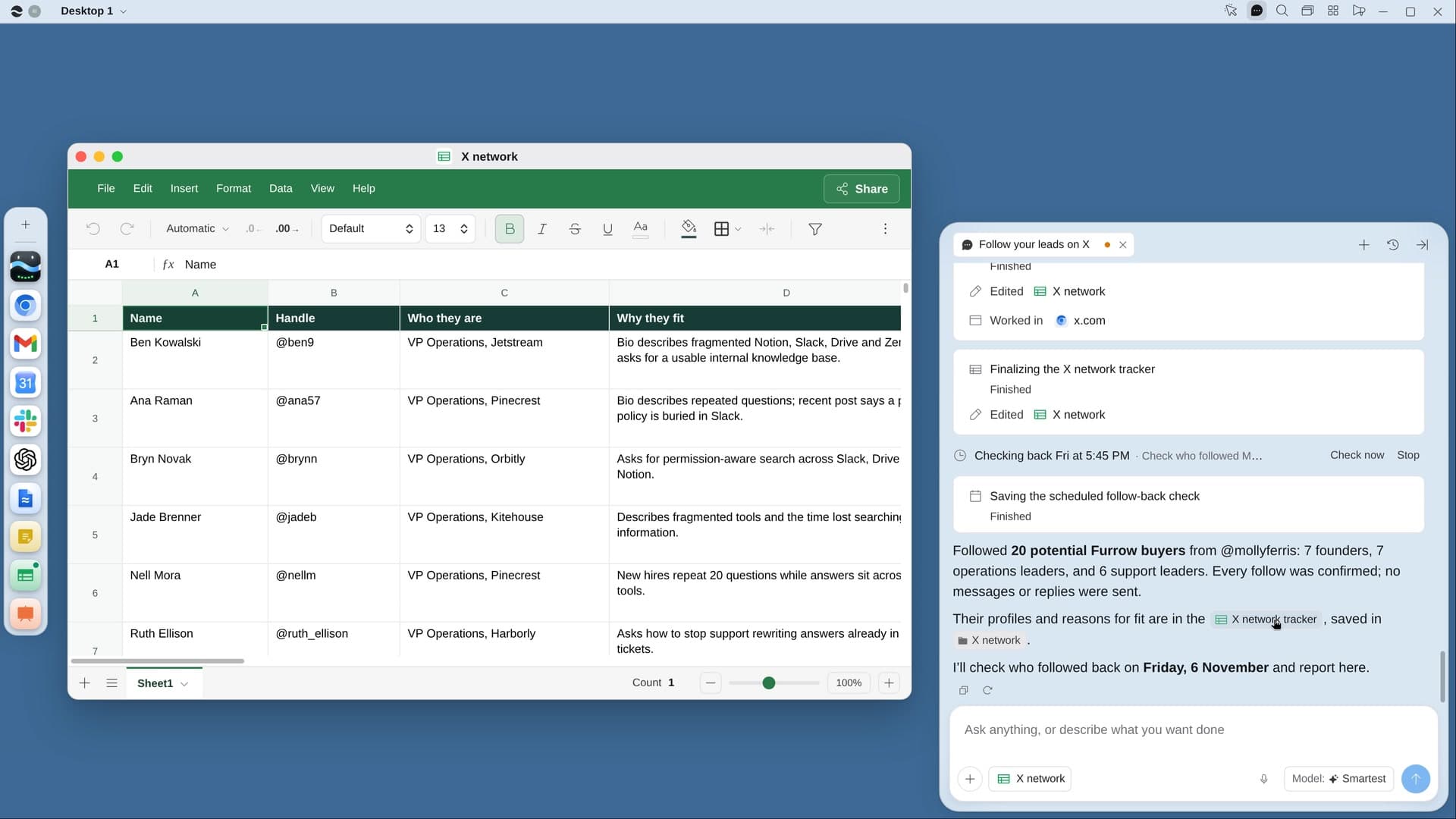 Follow peopleTell River who you want to follow, and it finds them on X and follows them from your account.
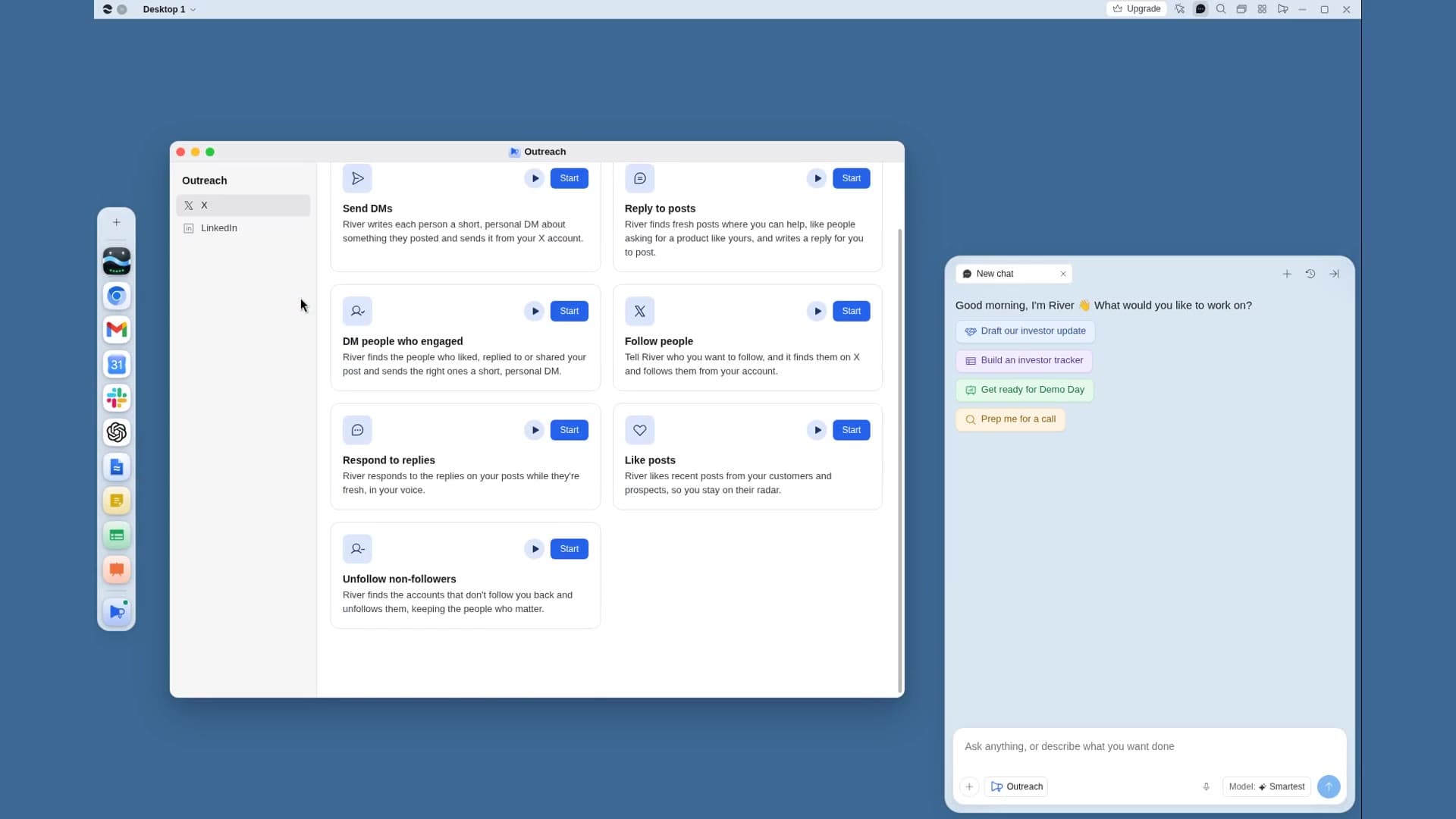 Respond to repliesRiver responds to the replies on your posts while they’re fresh, in your voice.
 Like postsRiver likes recent posts from your customers and prospects, so you stay on their radar.
Try it on your own work.
Download River, choose Founder, and press Start on “DM people who engaged”.