
Lost deals worth reopening, and what’s changed.
The real reason each was lost, in the buyer’s words.
How it works.
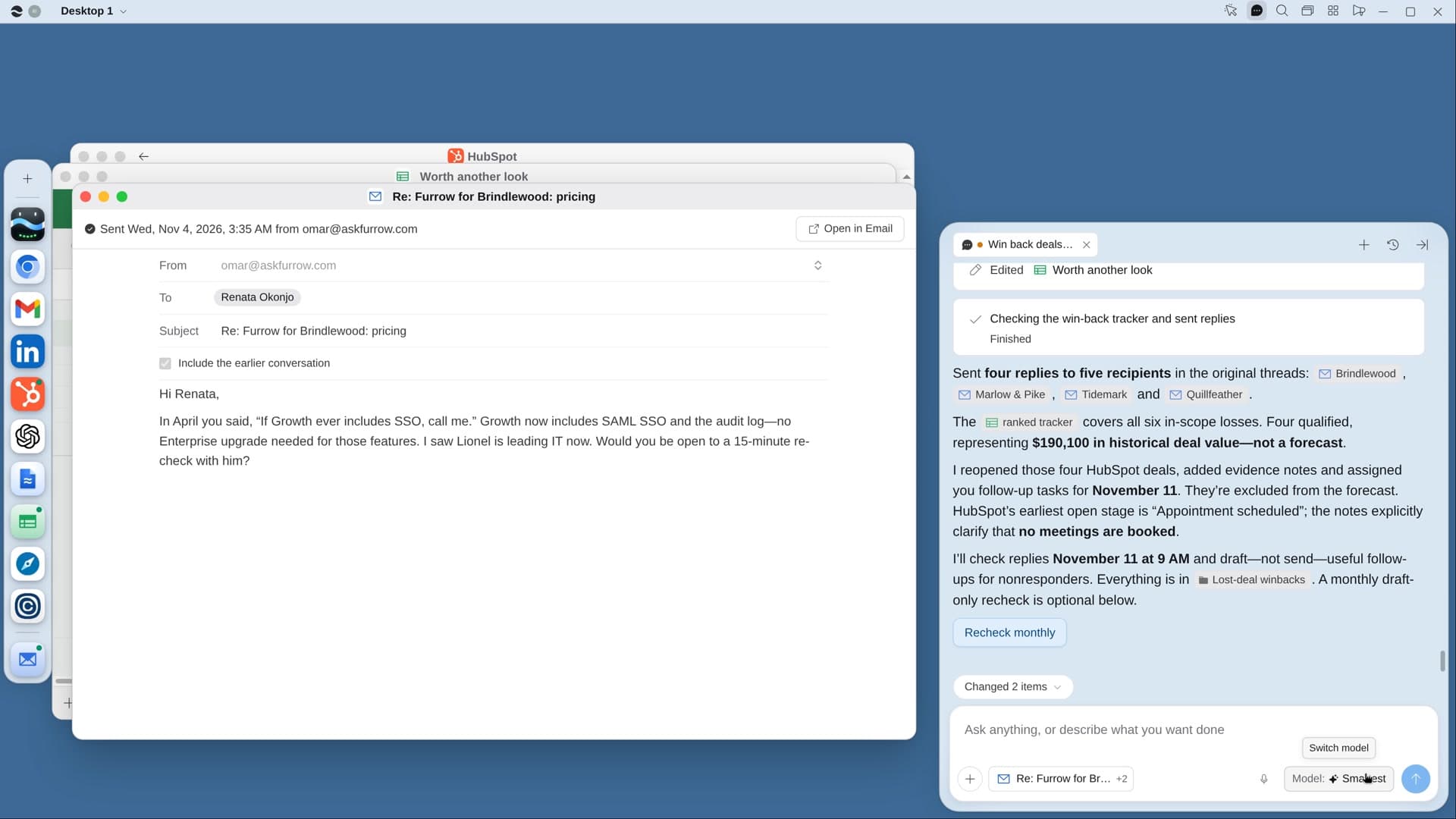
River finds the lost deals where something has shifted since, like new budget, a new leader or the feature they wanted now shipped, and drafts a note in each old thread.
Tell River what’s new
A shipped feature, a new plan, a customer like them. River reads your release notes first.
River rereads every loss
Every call, thread and note in full, then each company’s funding, leaders and news since.
A note in the old thread
It quotes what they told you and names what changed. Nothing goes out, or reopens, before your yes.
What you get.
- A Worth another look Sheet ranking lost deals by what’s changed since
- A note in each old thread that quotes the buyer and names the change
- The best deals reopened in your CRM with the reason, the change and a dated task
Start in three steps.

Get River
Download the app for your computer.
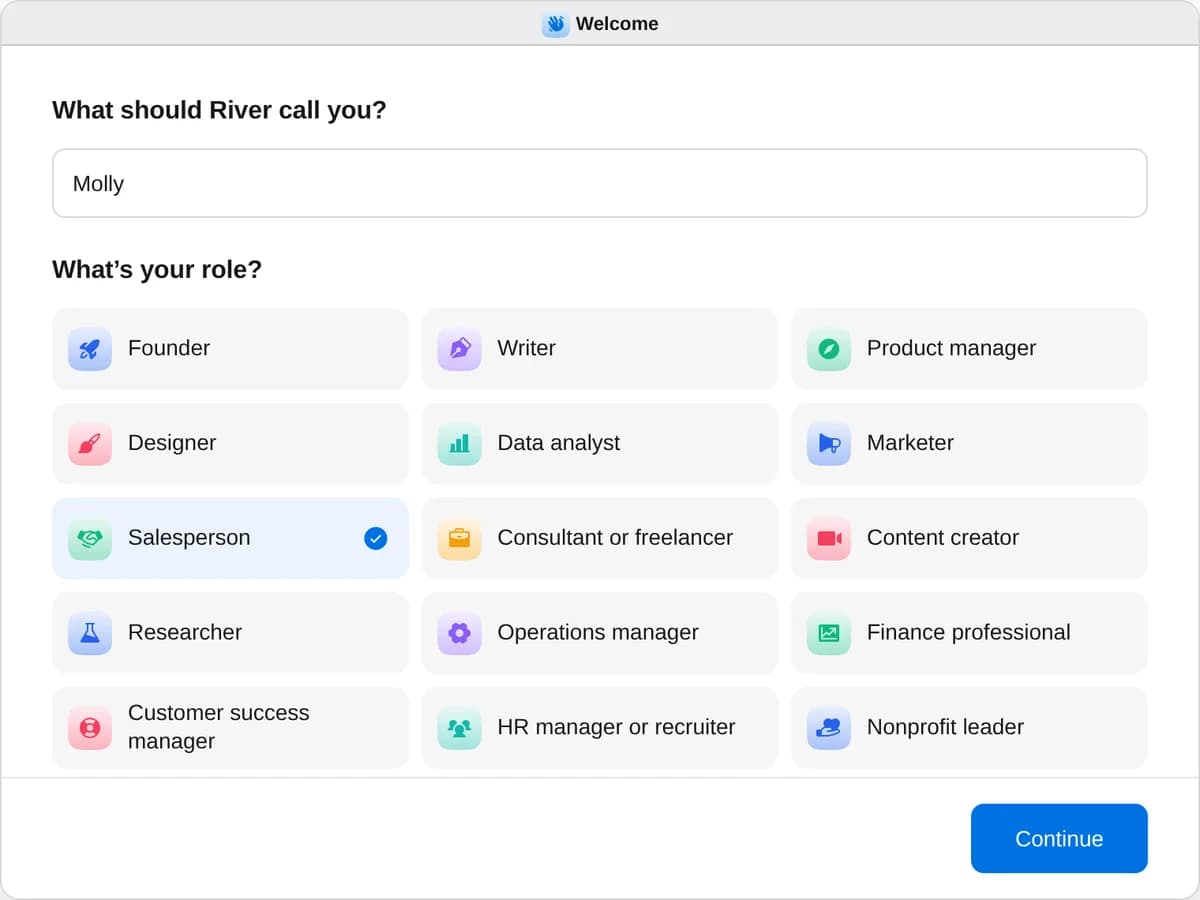
Sign up as a salesperson
When River asks your role, choose Salesperson.
- Playbooks
Salesperson
Start a playbook and River works through it with you in the chat.
Find buyers
StartBuild a list of leadsSay who you want to reach: River finds high-quality leads, each with a reason to reach out now, and builds your list.StartRank your territory and pick who to workRiver ranks every account you own into three tiers with the reason, and writes a point of view on the best ones.StartReach out when your accounts changeEvery week River spots funding, new leaders and hiring at your accounts and drafts a timely note for each change.StartFollow your champions to new jobsRiver finds past buyers who changed jobs, writes each good fit a note and flags deals that lost their champion.StartGet warm intros to your target accountsRiver finds who you know at each target account, picks the best way in and drafts an intro ask they can forward.StartBook meetings at your next conferenceRiver picks who to meet from the event’s lists, books 15-minute slots before you go and drafts every follow-up after.StartAnswer every demo request in minutesRiver looks up each new demo request and readies a personal reply with times to meet, sent with one tap.StartWin back deals you lostRiver rereads your lost deals for the real reason, finds what’s changed since and drafts a note in each old thread.Reach out
StartSend a cold email campaignSay who and what you offer: River finds the people, writes in your voice, sets up the sending and sends when you say go.StartConnect with leads on LinkedInSay who you want to know: River finds the right people and sends connection requests from your LinkedIn.StartMessage your new LinkedIn connectionsRiver writes each new connection a short note about them the day they accept, follows up and books the calls.StartLike and comment on your leads’ postsRiver finds which of your leads post, comments with something real from your work, then reaches out the next day.StartFix your LinkedIn profile for sellingRiver rewrites your headline, About and Featured for your buyers, makes a banner and updates your profile on your OK.StartFollow your leads on XSay who you want to know on X: River finds the right people and follows them from your account.StartBring back leads who went quietRiver finds every buyer who stopped replying and writes each a short note with a fresh reason to pick it back up.Win deals
StartPrep for tomorrow’s meetingsRiver writes a one-page brief for each of tomorrow’s outside meetings: who’s coming, what changed, what to ask.StartFollow up on last week’s callsRiver reads last week’s calls, finds the follow-ups that slipped and does every one you pick.StartSend a proposal after a demoFrom your demo call, River writes the proposal with real pricing and a plan to signing, and drafts your email.StartBring more people into your biggest dealsRiver finds who’s missing from your biggest deals, names the right people and drafts the notes that bring them in.StartGive your champion a deck for their bossRiver writes the deck your champion shows their boss, in their own words and numbers, and offers a quick run-through.StartBuild a battle card for each competitorRiver builds a one-page card for each competitor from your calls, lost deals, their reviews and their pricing.StartFind the gaps in your dealsRiver checks each deal against its calls and mail before your forecast call and shows what’s proven and what’s missing.StartUpdate every deal in your CRMRiver checks each open deal against your mail and calls, fixes stages and dates in your CRM and nudges stalled ones.StartFill in a security questionnaireRiver fills in a buyer’s security questionnaire from your own documents and past answers, and asks what it can’t find.StartAnswer an RFP from your past proposalsRiver reads the RFP, recommends bid or no-bid, answers it from your past answers and asks your experts the rest.Grow accounts
StartBuild an account planPick an account: River reads everything about it, researches its people and company, and builds a complete plan to grow it.StartFind upsell in your customer accountsRiver checks every customer for room to grow, sizes each opportunity in dollars and drafts the next step.StartHand off a new customer to onboardingRiver reads the whole deal and writes the handoff: goals, every promise made, a kickoff deck and the intro email.StartFind customers at risk of leavingRiver checks every customer’s usage, tickets, calls and contacts, ranks who might leave and drafts a plan to keep them.StartSend thank-you gifts to your best clientsRiver picks a personal gift for each of your best clients, writes the notes and fills the carts for you to pay.Start “Win back deals you lost”
Press + in your Dock, open Playbooks, and press Start. River asks how far back to look and what’s new since those deals were lost.
A few things to know.
Which deals does it look at?
Deals closed lost in the last 18 months, from your CRM, unless you pick another window. Deals where nothing has changed are left off the list.
What if my old contact has left?
River checks each contact’s LinkedIn and writes to whoever holds the role now, never to someone who’s gone.
What does it cost?
It uses your plan’s AI credit, like everything else in River. It starts from your CRM, call recordings and inbox, plus public news about each company.
View pricingMore for salespeople.
All salesperson playbooks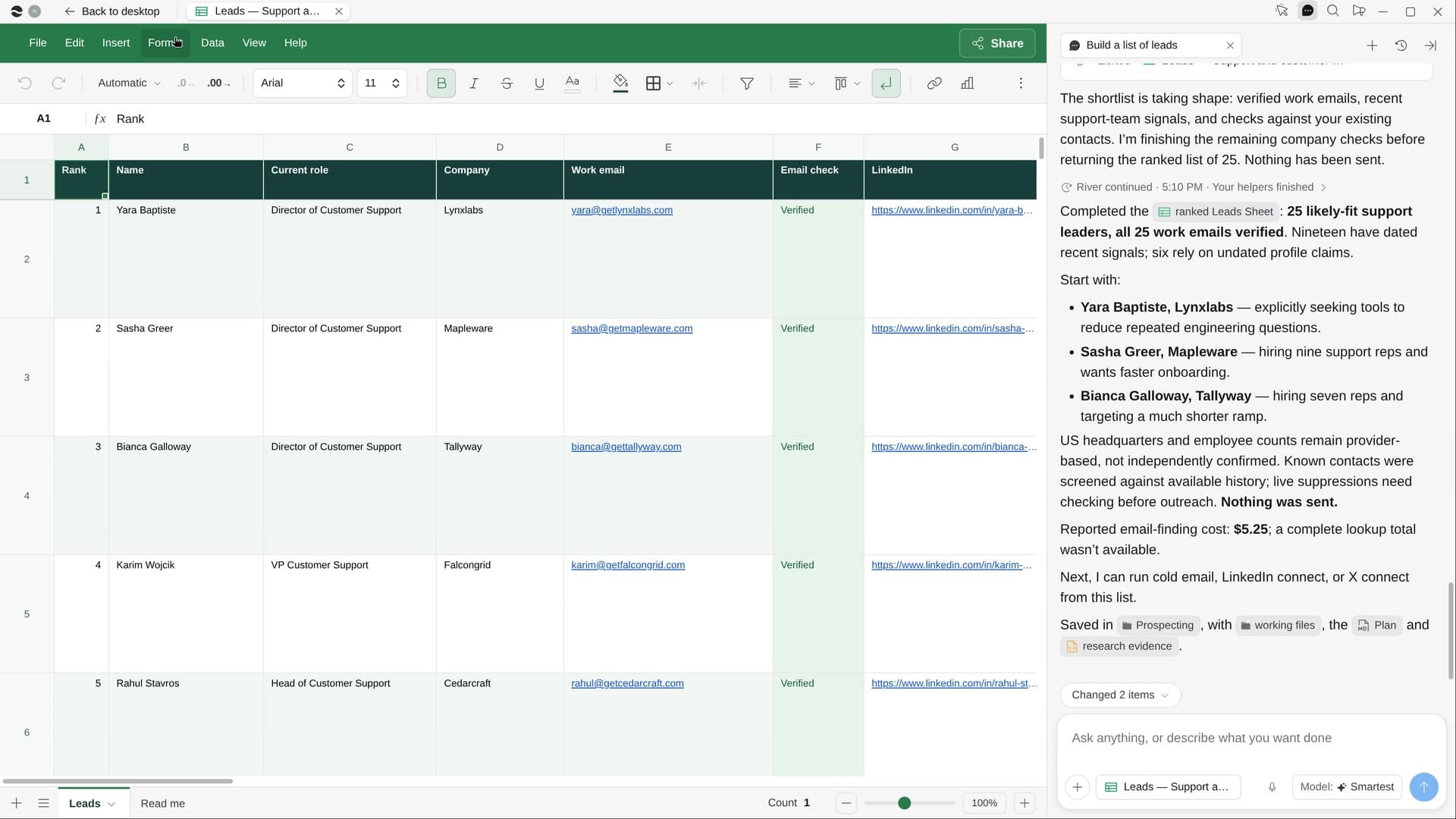 Build a list of leadsSay who you want to reach: River finds high-quality leads, each with a reason to reach out now, and builds your list.
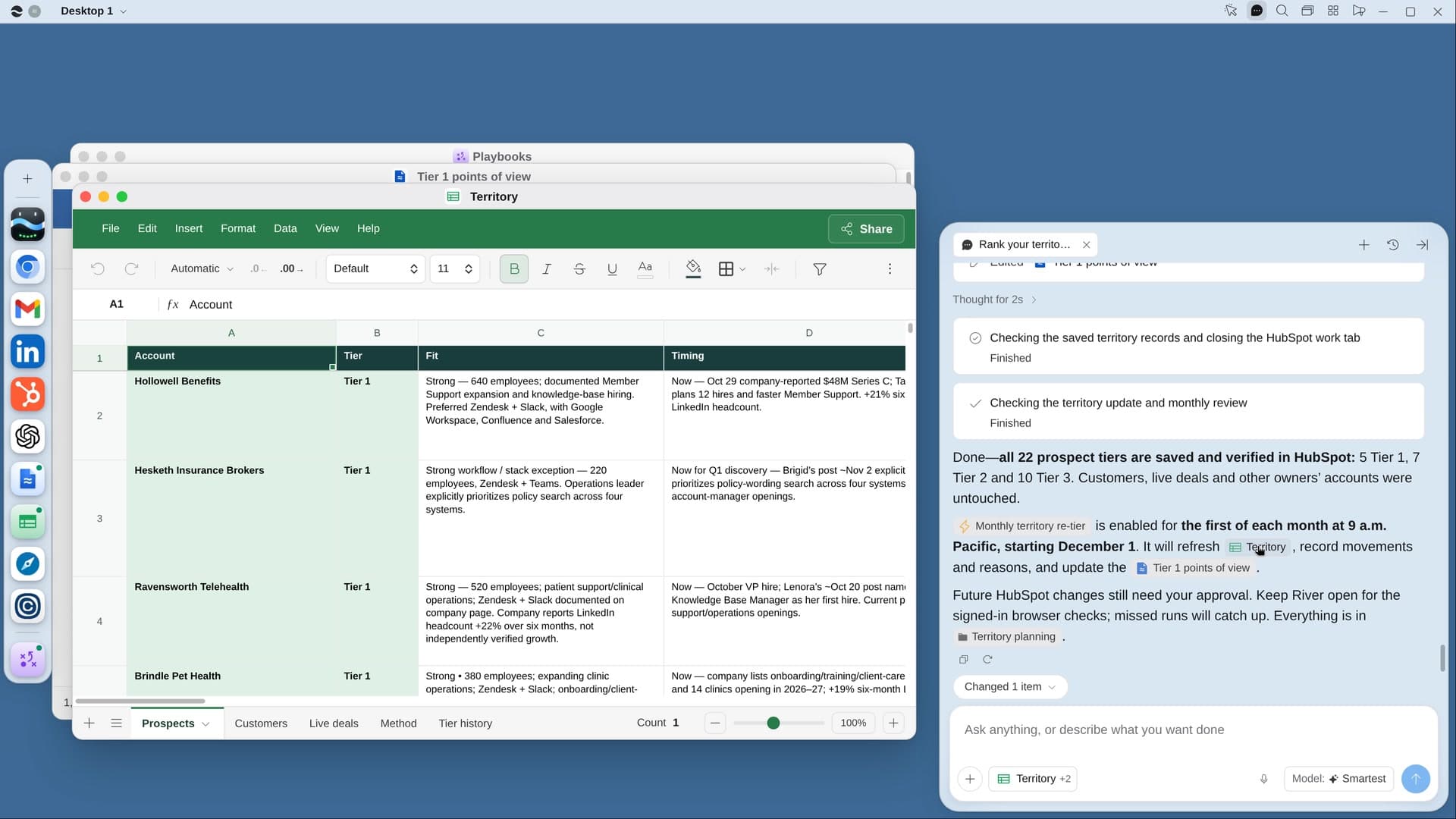 Rank your territory and pick who to workRiver ranks every account you own into three tiers with the reason, and writes a point of view on the best ones.
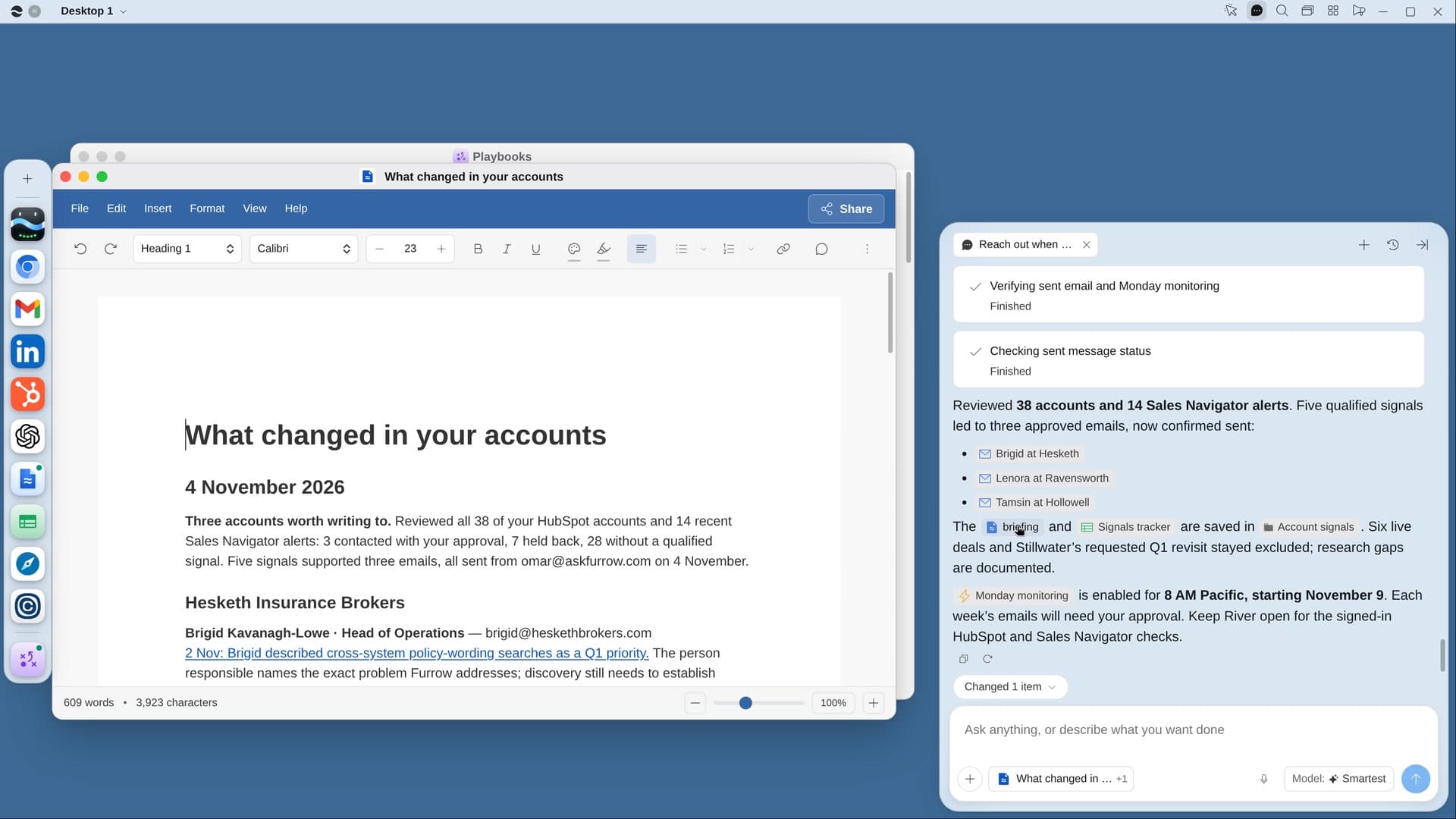 Reach out when your accounts changeEvery week River spots funding, new leaders and hiring at your accounts and drafts a timely note for each change.
Try it on your own work.
Download River, choose Salesperson, and press Start on “Win back deals you lost”.