



Account plans with the whole story.

Built from everything. Ready for every call.

River reads your calls, CRM, email, Slack and support tickets, then shows who decides, what you don’t know yet and where the account can grow.

How it works

Plans you can stand behind.

Every fact sourced. Every gap a question.

Wrenfield Health account plan

Updated Tue, Nov 3, from 7 calls, 186 emails, 2 Slack channels, 4 tickets and the order form

Linked to its source
Pays
$84,000 a year for 5 hospitalsOrder form
Renewal
Apr 30, 2027, notice by Jan 30Order form, section 4
Hospitals
14: 5 paying, 9 never pitchedUsage dashboard, Oct 31
Open deal
3 more hospitals, $50,400Salesforce
Health
At risk: the CFO is cutting vendorsGong call, Oct 14, 41:10
Sources disagree

Salesforce lists Gary Lund as the economic buyer. He left in August (his auto-reply, Aug 21), and Alana Price has been CFO since September.

Asked at the next meeting

What we don’t know yet

  • What would Alana need to see to keep Ledgerlark?Ask Nina, Thu Nov 5
  • Who signs the renewal now?Ask Victor by email
Drafted, not sent

Moves this week

  • Ask Nina for an intro to Alana, with this year’s resultsNov 6
  • Fix Mercy Valley’s false alerts with supportNov 10
  • Ask Victor how renewals go through purchasingNov 6

An excerpt from a sample plan for a made‑up account.

Start in three steps.

  1. River’s app icon

    Get River

    Download the app for your computer.

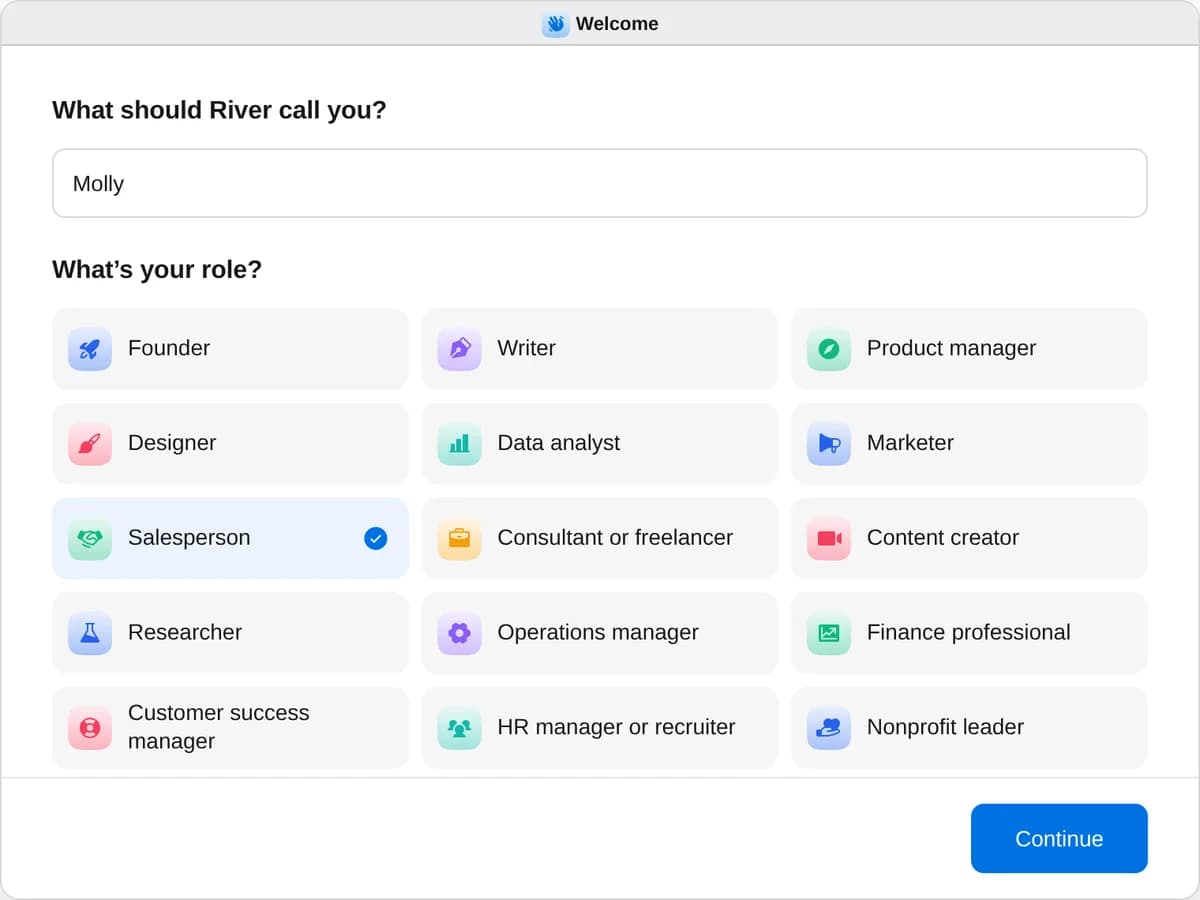
  2. River’s first question, “What’s your role?”, with Salesperson chosen

    Sign up as a salesperson

    When River asks your role, choose Salesperson.

  3. Start “Build an account plan”

    Press + in your Dock, open Playbooks, and press Start. Answer one card and River starts reading.

A few things to know.

Where does River look?

Everywhere you connect: calls in Gong, Fathom or Granola, Salesforce, HubSpot or Attio, Gmail or Outlook and your calendar, Slack, Zendesk or Intercom, and contracts in Google Drive. In River’s desktop app it also reads the dashboards you’re signed in to, right in your own browser; on the web, it asks for an export. Every fact keeps its date and a link to where it came from.

What if my CRM is out of date?

River checks every field against what was signed, said and done. When two sources disagree, the plan shows both and says which one River believes, and why.

Will it email my customer?

Not unless you say so. River drafts the first emails and adds the moves to Tasks with their dates; the drafts wait in Email until you send them.

How does the plan stay current?

Once the plan is written, River offers two things: a refresh every Monday that tells you only about new risks, new people or a change in a deal, and a one-page brief an hour before each meeting with the account. One yes sets up both.

What does it cost?

It uses your plan’s AI credit, like everything else in River. It reads the tools your team already has, so there’s nothing new to buy.

View pricing