


Social media that sounds like you.

You bring the story. River does the rest.

River writes your LinkedIn and X posts, handles the replies, and reaches the people you want to meet.

Get started

How it works

Posts with something to say.

Built from your week. Written the way you write.

A sample post for a made‑up startup.

Start in three steps.

  1. River’s app icon

    Get River

    Download the app for your computer.

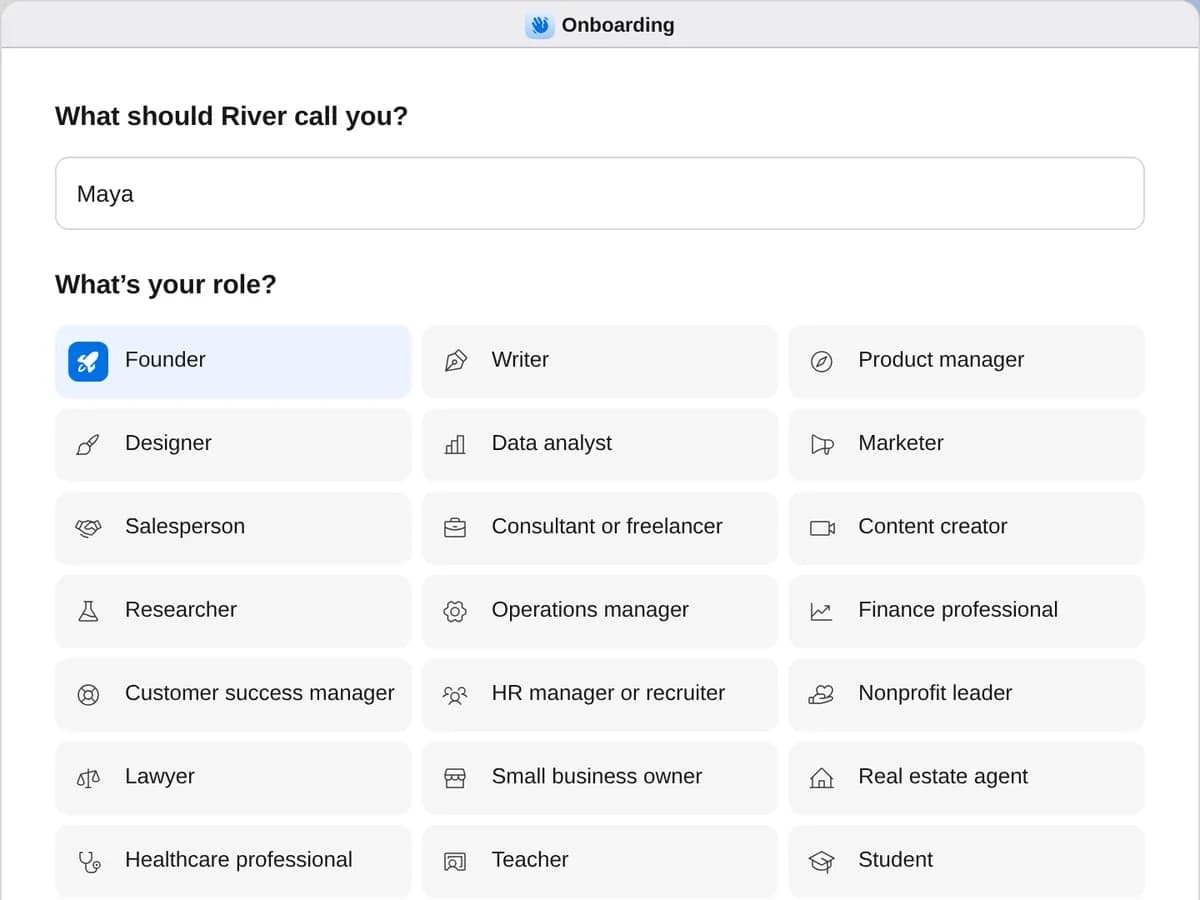
  2. River’s first question, “What’s your role?”, with Founder chosen

    Sign up as a founder

    When River asks your role, choose Founder.

  3. Start Social media

    Press + in your Dock, open Playbooks, and press Start. Answer one card and River drafts your week.

A few things to know.

Will it post anything without asking?

No. You approve each week’s posts once, and River schedules them on your own LinkedIn and X. The same go-ahead covers answers to comments and messages, and River checks with you when one needs something new, like a price.

Will it sound like me?

River reads your own posts before it writes, then checks the first two with you. Every post starts from something you did or said.

Is it safe for my accounts?

LinkedIn and X don’t allow software to post for you, so River says so once and you choose: River posts, or you press Post yourself. Either way, it stops at the first warning sign a site shows.

How much of my time does it take?

About ten minutes a week: one card on what’s new, a look at the posts, and a go-ahead. River brings you anything else that needs you.

What does it cost?

It all comes out of your AI credit, pictures included. Your posts go out from your own accounts, with no other tools to pay for.

View pricing